
“Email Testing & Troubleshooting” is your go-to category for mastering the art of flawless email campaigns. Discover tips, tools, and techniques to test, debug, and optimize your emails for every client, device, and inbox. From rendering issues to delivery hiccups, this category is packed with expert insights and actionable guidance to ensure your emails look great and perform even better—every single time. Perfect for email developers and marketers aiming for pixel-perfect perfection! 🚀📧
Email Testing & Troubleshooting
Testing emails in outlook: the complete 2026 guide
Outlook is not the biggest email client on the planet, but testing emails in Outlook probably consumes...

0
156
Email Testing & Troubleshooting
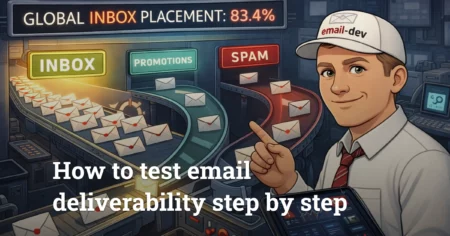
Email deliverability testing in 2026
I spent four hours last week doing email deliverability testing for a client's course launch because...
0
323
Email Testing & Troubleshooting
Email testing and troubleshooting guide
There’s this moment that happens maybe once a week where I’m staring at an email in a preview pane, everything’s...
0
173
Email testing & troubleshooting is where pretty emails go to get humbled - and then fixed.
This category is not about A/B tests, subject lines, or “best send time” folklore. It’s about the boring, expensive stuff that keeps you from shipping a campaign that looks perfect in your ESP preview and then turns into a crime scene in Outlook, Gmail on iOS, and whatever Android client your audience insists on using.
What this category covers
You’ll find practical, developer-level guides on how to prove an email works before it hits real subscribers:
- Cross-client rendering tests (what to check, what to ignore, and how to stop chasing ghosts)
- Dark mode behavior (inversion, washed-out colors, disappearing logos, broken backgrounds)
- Outlook problems (Word-era rendering quirks, conditional hacks, spacing bugs, DPI weirdness)
- Gmail limitations (CSS stripping, clipped emails, inconsistent mobile behavior)
- Mobile responsiveness (hybrid/fluid layouts, tap targets, text sizing that doesn’t turn into ants)
- Functional QA (links, tracking, images, fallback content, personalization/merge tags)
- Deliverability basics that developers can’t ignore (authentication, spam triggers, “why did this land in Promotions?”)
- Accessibility checks that don’t feel like homework (contrast, alt text, readable structure)
Common messes we fix here
If any of these sound familiar, you’re in the right place:
- The email “works” - until it hits Outlook desktop
- Dark mode flips your brand palette into something… experimental
- Background images don’t load (or load only where you least need them)
- Buttons look fine on desktop, then become tiny or misaligned on mobile
- Your ESP rewrites or mangles the HTML and you get blamed for it
- Multi-language versions break spacing, line-height, or the whole layout
- You’re forced to ship fast, so testing becomes “send to myself and pray”
How the posts are written
The vibe here is simple: real workflows, real constraints, real priorities.
You’ll see:
- Step-by-step testing flows (what I check first, second, third - and why)
- Screenshots-driven troubleshooting (symptom - cause - fix)
- “Here’s the workaround” code patterns (without pretending email HTML is clean)
- Tool comparisons that don’t read like a sales page
- A pragmatic line between acceptable degradation and broken
Who this is for
- Course creators and producers who can’t afford a sloppy launch email
- Email marketers and CRM folks who are tired of guessing what broke where
- Small businesses who want one solid template that doesn’t embarrass them
- Agencies that need a reliable email specialist without drama or delays
What you can do next
If you’re new here, start with the posts about building a repeatable pre-send QA workflow, then move into the client-specific stuff (Outlook and dark mode are usually where your time disappears).
Short version for category excerpt
No-fluff guides to testing and fixing HTML emails across real clients - Outlook, Gmail, Apple Mail, mobile, dark mode, and all the weird edge cases that make “looks good in preview” a lie.
Meta description
Practical email testing and troubleshooting guides - cross-client rendering, dark mode, Outlook/Gmail quirks, QA workflows, and fixes that actually ship.