

Most course launches don’t fail because the offer was wrong or the copywriting missed the mark. They fail because a chunk of the audience never actually saw the email – or saw it mangled beyond recognition – and nobody connected that to the revenue numbers. I’ve been called in to troubleshoot enough of these situations that I’ve stopped being surprised. The strategy is usually fine. The technical foundation is where everything quietly collapses.
So this is an article about email marketing goals, but not the kind that starts with “decide your north star metric.” It’s about the layer underneath those goals – the one that determines whether your carefully planned campaign has any realistic chance of hitting the numbers you’re expecting. Because setting email marketing goals without accounting for technical constraints is a bit like planning a marathon and not checking whether the road you’re running on actually exists.
Why email marketing goals fail: the technical reality most frameworks ignore

Most email marketing advice operates in a clean world where technology just works. Your emails arrive. They display correctly. Your ESP sends them in the order you scheduled. The marketing layer – copy, timing, audience, offer – is where the magic happens or doesn’t, and that’s where most experts point you.
Meanwhile, people are losing real money because nobody wants to discuss the boring technical bits.
Here’s a scenario I’ve seen play out more than once: a course launch was projecting six figures based on list size and historical performance. Three days in, the numbers aren’t there. Day one conversion was decent – 4.2%. Day two dropped to 2.8%. By day three it was down to 1.1% and the team was scrambling, convinced their offer had fallen flat or the audience had gone cold.
Their copywriter was good. Subject lines had been tested. The audience was warmed up. But what their subscribers on Windows corporate Outlook were actually receiving – that conversion-optimised sales email – looked like something had taken a blender to the design. Columns collapsed, images missing, the CTA reduced to a blue underlined link sitting in the middle of a wall of scrambled text. This wasn’t some rare edge case. For roughly 40% of that audience, that’s what showed up in their inbox.
Nobody had told them to check this. Not one of the email marketing experts they’d learned from had mentioned that a carefully built sales sequence could render as broken garbage for nearly half the list.
And it gets worse. If your domain authentication breaks – something that happens routinely during website migrations, hosting changes, or DNS updates, and often goes unnoticed – your ESP can start throttling sends. Half the audience might not be receiving emails at all while you’re watching conversion rates crater and trying to figure out what you said wrong in the copy.
The marketing advice isn’t wrong. It’s just built on an assumption – that the emails actually work the way you think they do. All that strategic thinking, the audience research, the split-tested subject lines – it only pays off if the technical foundation has no holes in it. Most people don’t find out their foundation is broken until it costs them money.
Technical diagnostic framework: find your hidden problems

Figuring out whether this is happening to you isn’t complicated. Go send yourself a test email from your last campaign – not to your regular Gmail, but to a work address running corporate Outlook if you can get one. Or ask a colleague with a Windows machine to forward it to themselves and send you a screenshot.
There’s a decent chance you’re about to see something unsettling.
That email that looks perfect in your inbox? Corporate Outlook runs on a Word-based rendering engine (specifically the 2007 version, still used in classic desktop Outlook through at least October 2026 when Microsoft finally starts retiring those versions) – meaning it displays HTML email the way Microsoft Word displays web content, which is to say, badly. Your background images won’t show. Your border-radius buttons become rectangular or disappear entirely. Multi-column table layouts collapse in ways you didn’t plan for.
But rendering is only one problem. Log into your email platform and look for delivery reports or inbox placement data. Most people never check this because nobody mentions it exists. If 30% of your emails are landing in spam folders, that’s not bad luck – that’s usually domain authentication issues, a reputation hit on your ESP’s shared IPs, or a DNS setting that got quietly changed during a website update six months ago.
The 15-minute technical audit checklist
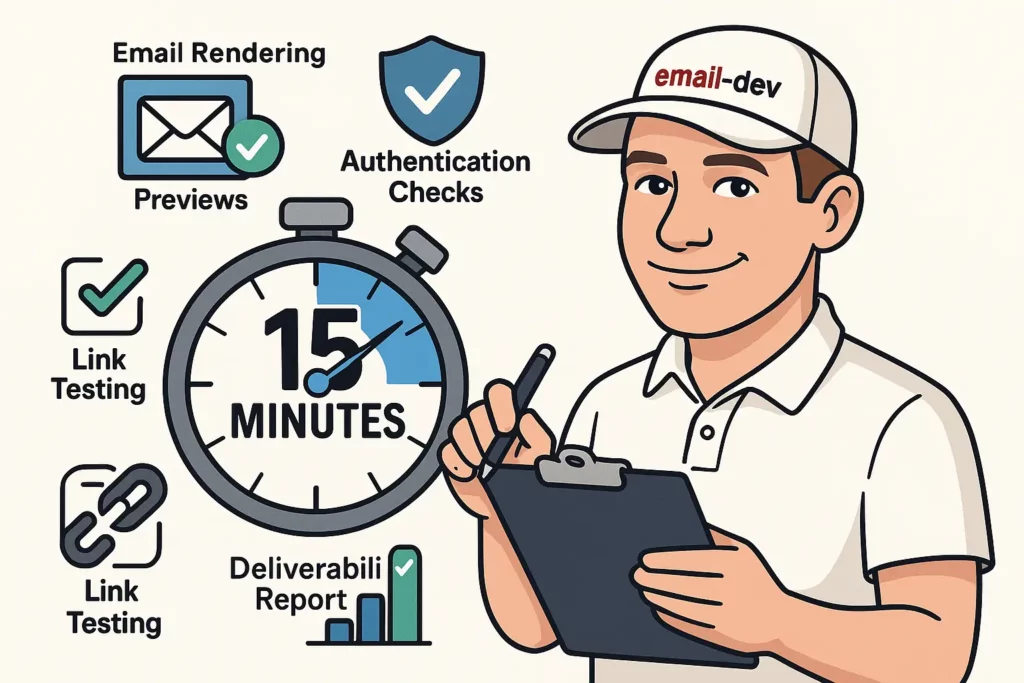
This isn’t advanced diagnostics. It’s the email equivalent of checking your tyre pressure before a long drive. Somehow email marketing got positioned as a purely creative discipline where technical maintenance is optional. It’s not optional. It’s the difference between campaigns that hit projections and campaigns that leave you guessing.
Rendering diagnostic:
Send your last campaign to at least five different email addresses: personal Gmail, a work Gmail (different domain), Outlook.com, Yahoo, and iOS Mail on your phone. Open each one and actually look at it.
Does your two-column layout still have two columns in Outlook? Are your buttons rendering as actual buttons or as underlined links? Did your images load? Is your call-to-action ending up somewhere it shouldn’t because spacing got mangled?
Take screenshots. You need to see what your subscribers are actually seeing, not what your ESP’s preview shows you. Speaking of which – those built-in previews are useful for rough checks but not accurate enough to rely on for campaigns that matter. The only reliable test is sending to real accounts and opening them.
Dark mode is where things get especially strange. White text on a transparent background becomes invisible white text on a white background. Brand colours get inverted in ways you’d never predict. Send to your phone with dark mode enabled and see what actually happens.
Deliverability diagnostic:
Your email platform has delivery data somewhere – buried in the reporting section, called something like “delivery insights” or “inbox placement.” Look for where your emails actually ended up. Anything showing significant percentages in spam or “unknown” is worth investigating.
Authentication – SPF, DKIM, and DMARC – is the thing most people ignore until it breaks everything. Run your domain through MXToolbox or DMARC Analyzer (both free). Red X marks mean your emails are probably going to spam and your platform isn’t necessarily going to tell you about it proactively. Authentication breaks when hosting providers change, when DNS settings get updated, when websites migrate. It’s quietly responsible for a lot of “mysterious” deliverability drops.
ESP limitation audit:
Every email platform has sending limits that aren’t prominently advertised, and they’re almost never daily limits – they’re usually monthly. Find out what your actual monthly sending cap is, and more importantly, how fast your ESP actually distributes a large send. “Send to 50,000 people” doesn’t mean those 50,000 emails go out simultaneously. Most platforms spread them over hours. Some over days. Your “urgent flash sale ends tonight” email might not finish sending until tomorrow.
ESP-specific constraints that quietly undermine your email marketing goals
Nobody puts the awkward limitations in the marketing materials. You usually find them the hard way, right in the middle of something important. This section attempts to save you that experience.
Mailchimp: the friendly limitations
Mailchimp markets itself as beginner-friendly, which is accurate until you run into the walls.
Monthly sending limits:
- Essentials plan: 10x your contact limit per month
- Standard plan: 12x your contact limit per month
- Premium plan: 15x your contact limit per month
- Large sends don’t go out all at once – they’re distributed over hours or longer
- No override for “urgent” campaigns
The monthly limits are often misunderstood as daily limits, which they’re not. But the distribution timing is the more operationally painful issue. An 80,000-person list on the Standard plan can technically receive 960,000 emails monthly – but a single large send to all of them could take most of a day to complete. Mailchimp’s position is that this protects deliverability. That may be true. It also means your urgency-based sequences need realistic timing assumptions baked in.
Template weirdness:
- The drag-and-drop editor strips out custom CSS
- Tables nested more than three levels deep tend to break in Outlook
- Background images won’t render in half the email clients your audience uses
- Custom fonts only display if subscribers already have them installed (which they won’t)
Automation throttling:
- Welcome emails: effectively instant
- Behavioural triggers: up to 15-minute delays
- Date-based automations: can be delayed up to four hours
- No way to speed this up on any paid plan
Kit (formerly ConvertKit): the creator platform reality
Kit rebranded from ConvertKit in October 2024. If you’re still seeing it referred to as ConvertKit in other resources, they’re working from outdated information.
Broadcast speed limitations:
- Free plan sends go out slowly
- Paid plans have “fast delivery” that still isn’t particularly fast
- Large broadcasts (50,000+) can take anywhere from six to twelve hours to complete
- Weekend sends tend to be slower
Tag-based automation complexity:
Kit’s tag-based system is genuinely powerful for creators managing complex subscriber journeys, but it comes with a quirk worth knowing: when multiple tags fire in quick succession – common during a webinar registration flow or a purchase event that triggers several automations simultaneously – you can end up with people entering the wrong sequences or skipping steps because the automation processed faster than the tags resolved. This isn’t unique to Kit, but it’s worth building delays into your automation entry conditions to account for it.
Template limitations:
- Limited custom CSS support in the visual editor
- Mobile responsiveness varies more than you’d like
- No built-in cross-client preview capability (you’ll need a separate tool)
ActiveCampaign: the automation powerhouse with caveats
ActiveCampaign has the most capable automation builder of the mainstream creator-focused platforms, but the complexity creates its own failure modes.
Contact scoring delays:
- Score calculations can lag by 30+ minutes
- Automations triggered by score thresholds are subject to that same lag
- Score-based segmentation becomes unreliable for time-sensitive sends
Send speed reality:
- “Fastest” delivery for large lists: still two to four hours
- Shared IP reputation affects all users on that infrastructure
- Dedicated IP requires a warming period of at least six to eight weeks
- No emergency send acceleration when you need it
Integration friction:
- API rate limits that aren’t clearly documented anywhere obvious
- Webhook delays during high-traffic periods
- Third-party integrations can break when ActiveCampaign pushes updates
- Support response times of 24 to 48 hours when you need answers urgently
Klaviyo: the ecommerce specialist with real constraints
Klaviyo is powerful for ecommerce, but the constraints worth knowing about are different from what sometimes gets reported.
The platform’s billing is based on active, emailable profiles rather than a fixed monthly send limit – meaning a paid plan for 10,000 profiles lets you send to those 10,000 people as many times as your subscription allows. There’s no published limit on the number of emails within a flow sequence; welcome flows, post-purchase sequences, and win-back campaigns can contain as many steps as your workflow requires.
The practical constraints that do matter:
- If you hit 100% of your plan’s monthly send allotment, flows and campaigns stop sending until the next billing cycle begins
- Revenue attribution defaults to a five-day window, which misses conversions that happen later or across devices
- Cross-device tracking has gaps that make revenue reporting imprecise
- Returns and refunds create attribution anomalies in revenue dashboards
- Smart Sending settings (which prevent subscribers from receiving emails too frequently) are configurable but can suppress sends you didn’t intend to suppress
List growth considerations:
- Double opt-in confirmation emails can be delayed under high volume
- Signup forms occasionally break with certain website themes, and you won’t always know until someone mentions it
- No built-in mechanism to customise confirmation email timing
GetResponse: the budget option trade-offs
GetResponse has a broad feature set at a lower price point, with the trade-offs you’d expect.
Automation technical debt:
- Legacy autoresponder system and newer automation builder can conflict in the same account
- Migrating between the two systems risks losing data
- Time-based sequences drift over time when mixing the two systems
- No synchronisation between timing settings across different automation types
A/B testing limitations:
- Minimum sample size of 1,000 contacts to run a test
- Minimum test duration of 24 hours
- Testing limited primarily to subject lines and send times
- Statistical significance is sometimes questionable given the sample requirements
Enterprise ESP considerations
Salesforce Marketing Cloud:
- Implementation realistically takes three to six months
- Requires a dedicated technical team to maintain
- Journey Builder can break with complex conditional logic
- Costs escalate faster than expected with volume growth
HubSpot Enterprise:
- Contact property limits get hit faster than anticipated
- Workflow enrollment restrictions create gaps in automation coverage
- Email template coding is restricted in ways that frustrate developers
- Revenue attribution has known gaps
The self-hosted reality check
SMTP services (SendGrid, Amazon SES):
Self-hosting gives you different problems, not fewer problems.
- IP warming takes six to twelve weeks of carefully managed volume increases
- One spam complaint spike can damage your sending reputation instantly
- Initial setup requires actual developers
- Monitoring and alerting is entirely your responsibility
- No support available at 2 AM when something breaks during a launch
A technical goal-setting framework for realistic email marketing goals

Traditional goal-setting for email campaigns looks something like this: “We need $100k from this launch, so we back-calculate to open rates and conversion rates.” Then when you hit 60% of target, everyone debates what went wrong with the strategy.
But what if 40% of emails displayed as broken? What if ESP throttling spread your five-day urgency sequence across eight days? What if a domain authentication issue sent half the list to spam? None of that shows up as “strategic failure.” It just shows up as disappointing numbers.
The fix isn’t to become paranoid about technical problems. It’s to build technical reality into the goal structure from the start.
The three-tier goal structure
Instead of a single target with crossed fingers, you need three scenarios based on technical performance.
Tier 1: Murphy’s law scenario
This is your “assume things will break” baseline.
- Account for 20-40% rendering issues across clients depending on your template complexity
- Factor in 15-30% deliverability degradation (spam placement, throttling, authentication issues)
- Include ESP-specific timing delays in sequence planning
- Revenue goals adjusted accordingly
Example: if your optimistic goal is $100k, Tier 1 might be $45k. That’s still worth running. That’s still profitable. But it accounts for the technical reality that campaigns rarely execute cleanly.
Tier 2: normal operating conditions
Your realistic target when things mostly work.
- Minor technical issues factored in (10-15% performance reduction)
- Standard ESP limitations reflected in timing
- Testing phases built into the timeline
- Buffer for typical delays
Same example: Tier 2 might be $75k. Good performance, some hiccups managed, most systems working as intended.
Tier 3: everything works
Your stretch goal when technical execution is clean and you’ve done the optimisation work.
- Authentication solid, deliverability strong
- Templates tested and rendering correctly across clients
- ESP timing understood and accounted for
- No unexpected technical friction
Tier 3: $100k or beyond.
Why this actually works:
When Tier 1 is still profitable, technical problems become course corrections rather than disasters. When you hit Tier 2, it feels like winning rather than falling short. When everything clicks for Tier 3, you have a documented, replicable system instead of a lucky accident you can’t explain or repeat.
Technical testing requirements for achieving your email marketing goals
Most people test emails the way most people floss – they know they should, they feel vaguely guilty when they don’t, and they skip it when there’s time pressure. Which is exactly when it matters most.
Testing isn’t perfectionism. It’s not checking boxes for some imaginary compliance department. It’s the difference between knowing what your subscribers actually see and assuming it matches what you designed. Those two things diverge more often than you’d expect.
Pre-send testing protocols
The minimum viable testing checklist:
Send your email to at least five real accounts before anything goes to your list: personal Gmail, a work Gmail address, Outlook.com, Yahoo, and iOS Mail. Open each one. Look at them.
Does your two-column layout still have two columns in Outlook? Are your buttons rendering as actual interactive elements or as underlined blue text? Did your images load? Is your call-to-action sitting where you intended it to sit?
Corporate Outlook deserves particular attention if you’re targeting a B2B audience at all. It strips background images, renders gradient buttons as flat rectangles or plain links, and generally treats modern CSS like an infectious disease. The fix isn’t to avoid designs that look good in other clients – it’s to make sure your emails have a working fallback for the clients that won’t support them.
Link verification:
Click every link. From a desktop and from a phone. Copy-paste errors in URLs happen, tracking parameters break, UTM strings get malformed – I’ve seen campaigns go out with a checkout link pointing to the wrong product page because someone edited the URL in a hurry. Takes about two minutes to check. Takes considerably longer to explain to a client why the launch email sent 50,000 people to a 404 page.
Spam assessment:
Run your email through a spam checker before sending. Mail-tester.com is free and will flag obvious issues: excessive punctuation, poor text-to-image ratios, phrases that trigger common filters. Not all spam filters respond to the same signals and the criteria change constantly, but catching the obvious problems before sending prevents unnecessary deliverability damage.
Authentication verification:
Before major campaigns, run your domain through MXToolbox. Authentication breaks happen more often than people realise – website migrations, hosting changes, SSL certificate renewals – all of these can touch DNS settings that affect email authentication. If your SPF, DKIM, or DMARC records are failing, your emails are probably going to spam. Your ESP won’t always tell you this proactively.
During-campaign monitoring
Most people hit send and check the numbers the next morning. The first 24 hours of a large send are where technical problems tend to surface, and catching them early matters.
What to watch in the first day:
- Delivery rate dropping below 95%
- Bounce rate jumping above 5%
- Spam complaints above 0.1% (anything above this triggers deliverability problems)
- Unsubscribe rate more than double your normal
- Any warning emails from your ESP (they only send these when something is genuinely broken)
Mid-campaign interventions:
Sometimes you need to pause a send mid-campaign. A broken link discovered after 20,000 people received it. A personalisation tag that failed and sent “[FIRST_NAME]” to your entire list. A segmentation error that sent the wrong email to the wrong group. Know where the pause button is in your ESP before you need it. Under pressure, fumbling around the interface looking for it wastes time you don’t have.
Post-campaign technical analysis
After each major campaign, do a technical post-mortem alongside whatever marketing performance review you already run.
Questions worth answering:
- What percentage of subscribers saw the email rendering correctly across different clients?
- Did certain segments show different deliverability performance?
- Did ESP throttling affect any time-sensitive elements of the sequence?
- Were there technical issues that contributed to performance outcomes? (Low conversion because of a broken CTA looks exactly the same as low conversion because of weak copy in your top-line metrics.)
Track this data over time. Patterns emerge. Maybe your emails always break in a specific email client that turns out to be common in your audience. Maybe your domain reputation dips every time you run a large broadcast to your full list. Maybe your ESP consistently throttles sends on Friday afternoons, which matters a lot if your launch sequence is timed around weekend availability.
Testing frequency requirements
Non-negotiable testing triggers:
- Any new template design
- After changes to your ESP configuration
- Before campaigns significantly above your normal sending volume
- After website or DNS changes
- When switching ESPs
Routine maintenance:
Monthly testing of your standard templates even when nothing’s launching. Email clients update their rendering engines, spam filter criteria shift, your domain reputation fluctuates. What rendered correctly three months ago might be broken now. This is boring maintenance, but it’s far less boring than finding out during a launch.
Technical crisis management and recovery protocols
Things will break. The question is whether you have a plan ready or you’re improvising under pressure at 11 PM on launch night.
Common technical disasters and how to respond
Domain reputation damage:
This one is insidious because it rarely announces itself clearly. Your deliverability degrades gradually over weeks – from 98% inbox placement to 94% to 88% – and by the time it’s obvious, the damage is already done.
Immediate containment:
- Stop all non-essential sends
- Check authentication records (SPF, DKIM, DMARC) – something may have broken
- Review spam complaint rates in your ESP dashboard
- Run your domain through a reputation checker (Google Postmaster Tools and Microsoft SNDS are both free)
Recovery timeline: Domain reputation recovery is measured in months, not weeks. Six to twelve weeks of gradual improvement if you do everything correctly. Anyone selling a faster fix is selling something else.
Working around it: Set up a subdomain for critical sends while your main domain recovers. Something like updates.yourdomain.com, properly authenticated, with its own sending history. It’s not ideal, but it keeps important transactional and campaign emails moving while the main domain heals.
ESP account suspension:
Nothing derails a launch like logging in to find your account suspended pending review. This typically happens after spam complaint spikes, suspected list purchasing (don’t do that), or sending to large numbers of invalid addresses.
Preparation that actually helps: Have a backup ESP account set up, authenticated, and with your core templates ready before you need it. Sounds paranoid until you’re locked out of your primary platform 36 hours before a launch. Keep a secondary account with a different provider at minimum warm-up level.
Data export: Know how to export your subscriber data before you need to. Some platforms require 24 to 48 hours to generate export files. Plan accordingly.
Rendering failures mid-send:
You discover halfway through a 50,000-person send that your email looks broken in a major client. Twenty thousand people already received the broken version.
If you catch it early enough: Pause the send, fix the template, resume. Some ESPs won’t allow template edits on campaigns that have already started sending, which is genuinely maddening when you need it most.
Damage control: Send a follow-up email acknowledging the issue and providing the content correctly. Don’t pretend it didn’t happen – subscribers notice broken emails, and transparency handles this better than silence.
Building technical resilience
Redundancy that’s actually useful:
A backup ESP account that’s never been warmed up and hasn’t sent anything is not useful in an emergency. Warm it up gradually, keep it authenticated, and run occasional sends through it. Cold infrastructure isn’t ready when you need it.
Monitoring before it becomes a crisis:
Configure alerts in your ESP for the metrics that matter: delivery rates, bounce rates, spam complaints, authentication failures. Default alert thresholds in most platforms are too permissive – by the time they fire, you’re already in trouble. Set tighter thresholds and check them proactively rather than waiting for the platform to warn you.
Know who to call:
Authentication problems require whoever manages your DNS. Deliverability issues require your ESP’s support team or a deliverability consultant. Rendering problems require an email developer. These are different people, and knowing which problem needs which person before a crisis saves time and prevents the wrong person spending two hours on a problem that isn’t theirs to solve.
Advanced technical optimization strategies
Once the foundation is stable – emails rendering, deliverability solid, ESP limitations understood and planned around – there’s meaningful optimisation work to do. This is where technical investment starts producing measurable returns rather than just preventing disasters.
Cross-client compatibility mastery
Progressive enhancement in practice:
The traditional approach to email design is building something that looks great in Gmail and then hoping it survives elsewhere. Progressive enhancement inverts this: you build something that works in the worst email client (typically classic desktop Outlook on Windows) and then layer improvements for clients that can handle them.
Your base template uses tables for layout – yes, tables, the same approach used in 1999, because Outlook’s Word-based rendering engine doesn’t understand modern CSS layout – with inline CSS for all styling. No background images, no CSS animations, nothing that requires modern browser-level rendering. Then you add conditional CSS and media queries that only activate in clients that support them.
More upfront work. But your conversion rate doesn’t crater because 40% of your audience is on corporate email systems that treat modern CSS as a personal affront.
CSS support and fallbacks:
Among commonly used email clients, Apple Mail has the most complete support for modern CSS including media queries. Gmail supports media queries partially, which is usually enough for basic mobile adaptation. Classic desktop Outlook for Windows supports essentially none of this – it doesn’t even need media queries because it renders at a fixed width and has no responsive behaviour. The new Outlook for Windows (rolling out to business users from January 2025 onward) uses a web-based rendering engine similar to Outlook.com, which is meaningfully better.
Build with fallbacks. Rounded buttons: code rectangular first, add border-radius for clients that render it. Gradient backgrounds: solid background colour first, gradient on top for clients that support it. The goal is graceful degradation – the email looks worse in older clients, but it never completely breaks.
Responsive design for a fragmented client landscape:
The hybrid approach to responsive email design accounts for the reality that media query support is inconsistent. Your base layout uses percentage widths and max-width constraints to work reasonably at any viewport width. Media queries then provide explicit mobile adjustments for clients that support them – primarily Apple Mail and partially Gmail. Classic desktop Outlook simply renders at whatever fixed width you set and ignores responsive behaviour entirely.
A two-column layout that stacks to single column on mobile is achievable and standard practice, but it requires managing column widths with tables and conditional styles, and testing in at least a dozen different combinations of client and device before you’re confident it’s working. There’s no clean solution here, just careful construction and thorough testing.
Deliverability optimisation beyond the basics
Advanced authentication:
Most people set up SPF, DKIM, and DMARC once and consider it done. The optimisation layer matters for higher-volume senders.
DMARC policies can be tuned progressively. Starting at p=none (monitoring only), moving to p=quarantine when you’re confident about your authentication setup, and eventually p=reject for full enforcement. Each level change affects deliverability differently and requires a period of data collection to evaluate the impact – weeks, not days.
BIMI (Brand Indicators for Message Identification) puts your logo next to emails in supporting clients. It requires a Verified Mark Certificate, which involves a trademark registration process and meaningful cost. Worth it for large brands where inbox recognition matters. Probably not worth the effort and expense for most smaller senders.
Subdomain strategy:
Separating email types across subdomains protects your main domain reputation. Marketing emails from newsletter.yourdomain.com, transactional emails from mail.yourdomain.com, notifications from updates.yourdomain.com. If a marketing campaign damages your sending reputation, your order confirmation emails – which are often more critical to customer trust – continue to deliver cleanly from their own subdomain with its own reputation.
Requires more complex DNS setup and separate authentication records for each subdomain. Worth it once email is a significant enough revenue channel that reputation compartmentalisation matters.
Reputation management that moves the needle:
Engagement-based list cleaning is the counterintuitive one: removing subscribers who haven’t engaged in six or more months shrinks your list but improves your sender reputation. ISPs weight engagement rates heavily in spam filtering decisions. A smaller, engaged list outperforms a large, disengaged one on deliverability metrics – and often on revenue too, because the people who aren’t engaging probably aren’t buying either.
Gradual volume increases when scaling: don’t jump from 10,000 sends to 100,000 sends suddenly. ISPs notice unusual volume patterns and respond accordingly.
Technical goal tracking and optimisation
Beyond open rates:
Apple’s Mail Privacy Protection, which launched in September 2021, inflated open rates for Apple Mail users by pre-loading tracking pixels. Open rates as a primary metric have been unreliable since then. Better metrics: click-to-conversion rates, revenue per delivered email, scroll depth where your platform supports it, reply rates for engagement-focused campaigns.
Some ESPs are building better measurement into their platforms. Most still lead with open rates in their dashboards because it’s the number that looks best.
Attribution complexity:
People read emails on phones and buy on computers. They save emails and convert three days later. They forward emails to someone else who converts. Multi-touch attribution models help but require proper UTM setup, cross-device tracking configuration, and integration between your ESP and analytics platform. Most people skip this because it’s technically demanding, then work from attribution numbers that significantly undercount email’s actual contribution to revenue.
Technical goal-setting tools and resources

The gap between people who consistently hit their email marketing goals and people who constantly miss them usually comes down to tools and systematic processes – not expensive tools, just the right ones used consistently.
Essential technical tools
Free testing and monitoring:
- Mail-tester.com: Spam score checking and authentication verification – genuinely useful, free
- MXToolbox: DNS, SPF, DKIM, DMARC checking – comprehensive and free
- Google Postmaster Tools: Gmail-specific deliverability data, sender reputation tracking, requires DNS verification
- Microsoft SNDS: Outlook.com sending reputation monitoring
Paid solutions worth considering:
- Litmus (now part of Validity): Comprehensive rendering previews across 100+ email clients and dark mode testing. Litmus was acquired by Validity in April 2025 and now operates as “Litmus from Validity.” Pricing changed significantly in August 2025 – entry-level plans now start at $500/month. If you’re a high-volume sender for whom broken emails cost real money, still the most complete testing tool available. For lower-volume senders, the cost-benefit calculation has shifted.
- Email on Acid (now part of Sinch): Rendering previews across 90+ clients with campaign precheck features. A solid alternative for teams that find Litmus pricing prohibitive.
- Validity Everest: Enterprise-level deliverability monitoring, inbox placement testing, and sender reputation tracking. Built from the combined capabilities of 250ok (acquired 2020), Return Path, and BriteVerify. Not cheap, but comprehensive for organisations where deliverability is business-critical.
Quick-check tools:
- MXToolbox browser extension: DNS lookups without leaving your email platform
- Email Privacy Tester: Tests how your emails handle Apple’s privacy protection
Documentation templates and tracking systems
Technical baseline tracking:
Keep a simple record of what normal looks like for your sends: average delivery rates by segment, typical bounce rate ranges, standard spam complaint levels, normal send completion times for your list sizes. When you have a baseline, deviations stand out. A 3% drop in delivery rate that looks like noise in isolation looks like an early warning sign when you know your typical range.
Goal-setting with technical constraints factored in:
Spreadsheets that account for ESP sending speed, cross-client rendering success rates, and deliverability performance factors are boring to build. They’re also how you avoid the conversation where someone asks why the campaign missed projections by 40% and nobody has an actual answer.
Crisis response documentation:
Pre-written step-by-step procedures for the most likely technical failures: domain reputation problems, ESP account issues, rendering disasters, authentication failures. You don’t want to design the response process while you’re panicking. Having the procedure already written means faster action and fewer mistakes under pressure.
Ongoing technical education
Staying current:
Email clients update their rendering engines without announcement. Gmail adjusts spam filtering criteria. ESP platforms change sending limits and policies. Things that worked three months ago occasionally stop working.
- Litmus community forums: Real practitioners reporting actual rendering issues and solutions as they surface
- Email developer newsletters and communities (the #emailgeeks community on various platforms)
- Your ESP’s changelog and update communications – actually read them
- Email client market share reports: knowing what clients your audience actually uses shapes where you invest testing effort
Implementation roadmap
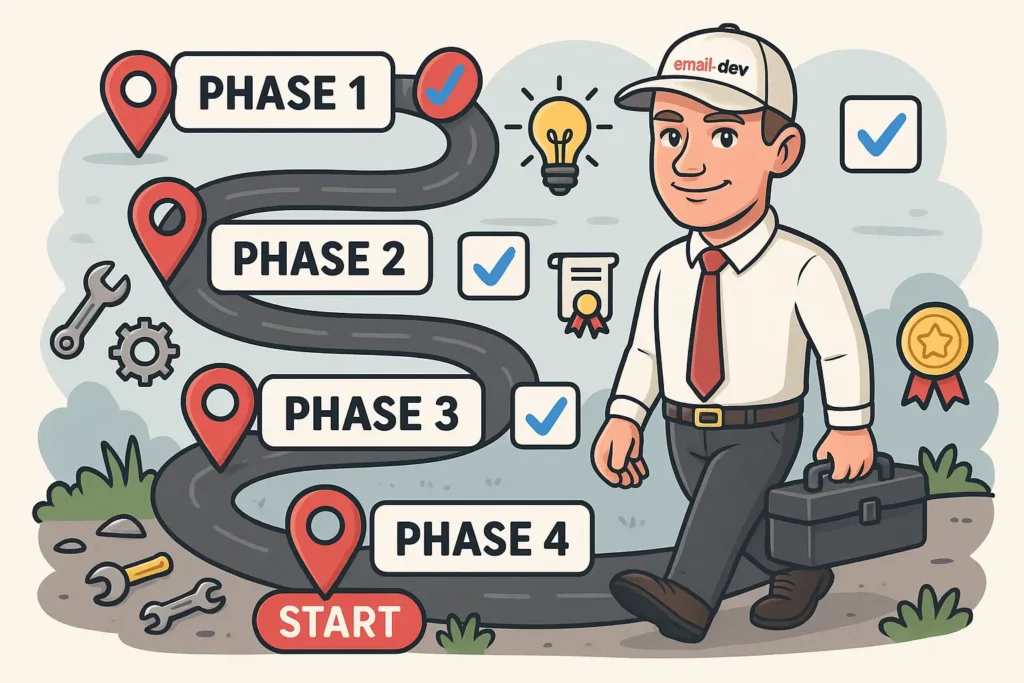
Most people read articles like this, agree with all of it, bookmark it, and implement nothing. Technical changes feel overwhelming when there are campaigns to run, content to create, and approximately seventeen other things competing for attention.
So here’s a phased approach that doesn’t require pausing everything to rebuild from scratch.
Phase 1: technical foundation assessment (weeks 1-2)
Week 1 – the honest audit:
Send your last campaign to five different email accounts right now. Take screenshots. Make a list of what’s broken. Don’t try to fix anything yet – just document what you find. The two-column layout that becomes a single column of confusion in corporate Outlook. The button that renders as a text link. The images that don’t load. Write it down.
Then check your deliverability data. Log into your ESP, find the delivery reports (they’re always buried somewhere annoying), and look at inbox placement rates and spam percentages over the last three months. Run your domain through MXToolbox. Document what fails.
Week 2 – ESP reality check:
Find out what your email platform actually allows versus what you assumed. Monthly sending limits, automation delays, send speed for large lists. Contact support and ask specific questions, get answers in writing:
- What are my actual monthly sending limits?
- How quickly do large campaigns send to my list size?
- What happens when I approach the limits?
- Are there throttling policies during high-volume periods?
Document your current technical baseline – delivery rates, bounce rates, unsubscribe rates by campaign type. This becomes your comparison point for detecting future problems.
Phase 2: immediate fixes and monitoring setup (weeks 3-6)
Weeks 3-4 – fix the obvious failures:
Authentication first. If your SPF, DKIM, or DMARC records are failing, get them fixed before anything else. This may require involving your web developer or hosting provider. They might be annoyed that email is landing on their plate. Do it anyway – broken authentication kills deliverability.
Fix the most egregious rendering failures in your standard templates. Not every rendering imperfection – that’s a rabbit hole – just the ones that make the emails look genuinely broken: CTA buttons that don’t work, text that disappears in dark mode, images that destroy the layout when they fail to load.
Configure monitoring alerts in your ESP for the metrics that matter: delivery rates below 95%, bounce rates above 5%, spam complaints above 0.1%. The defaults are usually too permissive.
Weeks 5-6 – testing workflow:
Create a simple pre-send checklist and use it for every campaign. Five email accounts, specific things to check, screenshot documentation. Make it a habit before the habit becomes necessary during something important.
Set up Google Postmaster Tools for Gmail-specific data, and Microsoft SNDS for Outlook.com. Both require DNS verification – another thing your web developer might grumble about. Worth doing.
Start tracking technical performance alongside marketing metrics in your campaign records.
Phase 3: optimisation and scaling (weeks 7-12)
Weeks 7-9:
Implement the three-tier goal structure for your next major campaign. Set worst-case, normal, and optimistic targets based on your documented technical baseline. It feels strange at first because goal-setting usually focuses on aspirational numbers. But knowing your Tier 1 is still worth running changes how you respond when technical problems surface.
Optimise your most critical templates for better cross-client compatibility. This often means simplifying layouts that break in corporate Outlook rather than trying to make complex designs work everywhere.
Set up a backup ESP account. Secondary sending domain if your domain reputation matters to you. These sound paranoid until you need them.
Weeks 10-12:
Review technical performance data from the campaigns you’ve run during this period. What’s working? What’s still breaking? Which fixes had the biggest impact on actual results versus what you expected?
Refine your testing and monitoring procedures based on what you’ve learned. Document the improved processes so other team members can follow them.
Phase 4: long-term sustainability (month 4 onwards)
Build technical reviews into every campaign post-mortem. Not just “how did we do on revenue” but “what technical issues affected performance and what do we change next time.”
Stay current with email client and ESP changes. The landscape shifts constantly, and the optimisation you did six months ago might need revisiting because a major client updated its rendering engine or a platform changed its policies.
Evaluate your tools periodically. Free tools that work fine at 10,000 sends per month may be inadequate at 100,000. Paid tools that seemed expensive might be bargains once you’ve measured what technical problems actually cost you in missed revenue.
Conclusion and next steps

If you’ve been sending email campaigns with ambiguous results – launches that underperform without a clear explanation, deliverability that seems inconsistent, conversion rates that don’t respond to strategy adjustments the way they should – there’s a reasonable chance the technical layer is involved. Not always. But often enough that ruling it out systematically is worth fifteen minutes.
The framework here isn’t about becoming a technical expert. It’s about having enough understanding to identify when something technical might be responsible for a business problem, and enough process in place to catch those issues before they cost money rather than after.
Key takeaways
Technical constraints should be in the goal from the start, not discovered after the fact. Aspirational targets that ignore technical reality don’t fail gracefully – they just fail, and you spend a week trying to figure out what went wrong with your strategy when the problem was infrastructure.
Proactive maintenance prevents more revenue loss than reactive troubleshooting recovers. Fifteen minutes of testing before a send is worth considerably more than four hours of post-mortem analysis after a broken campaign goes to 50,000 people.
Most “mysterious” campaign failures have identifiable technical causes. Authentication failures, rendering issues, ESP throttling, deliverability degradation – these show up in data if you know where to look and what you’re looking at.
Immediate action items
Start today:
- Send your last campaign to five different email accounts and take screenshots
- Run your domain through MXToolbox and check authentication status
- Find the delivery reports in your ESP and look at actual inbox placement data
- Document your ESP’s actual monthly sending limits
This week:
- Set up deliverability monitoring alerts in your ESP
- Fix the most obvious rendering failures in your standard templates
- Create a simple pre-send testing checklist
This month:
- Implement the three-tier goal structure for your next major campaign
- Set up a backup ESP account
- Configure Google Postmaster Tools for Gmail deliverability data
- Establish regular technical review in your campaign post-mortems