
I spent four hours last week doing email deliverability testing for a client’s course launch because Gmail was dumping their emails into spam at a stupidly consistent rate – around 40%. The content was fine, authentication looked “fine” in the ESP UI, nothing screamed “broken”… and yet something was off. Turns out their setup had been failing DMARC alignment for weeks, and nobody noticed until launch day.
This kind of mess has become weirdly normal since Gmail and Yahoo tightened bulk sender rules starting February 1, 2024. One day your emails are cruising into inboxes, the next day 30% of your list never sees your carefully built launch sequence. The difference between delivered (a server accepted it) and deliverable (a human can find it in their inbox without a treasure map) suddenly matters a lot more than your ESP’s happy little “Delivered: 98%” chart wants to admit.
Email deliverability testing isn’t optional anymore – it’s survival.
Validity’s 2025 benchmark put global inbox placement in the low-to-mid 80s across 2024, which is a polite way of saying: roughly one in six emails doesn’t land where you think it does. For course creators launching to 50,000 subscribers or agencies managing client campaigns, those aren’t cute stats. That’s revenue leaking out of the funnel, support tickets, and someone inevitably posting “are emails broken?” in Slack.1
Most deliverability advice online is surface-level fluff that avoids the stuff that actually hurts: misalignment, invisible compliance failures, reputation drift, and “looks fine in the dashboard” lies. This guide is the testing workflow I use with real campaigns – the checks that catch authentication failures before they torch a launch, the content and placement patterns Gmail keeps rewarding (or punishing), and the monitoring that tells you you’re about to get hit before it happens.
- Understanding email deliverability testing vs delivery – why the distinction matters
- Email deliverability testing and the new reality – gmail and yahoo enforcement
- The complete email deliverability testing framework – how to test email deliverability in four phases
- Phase 1: pre-send authentication validation
- Phase 2: content and spam scoring analysis
- Phase 3: inbox placement testing – the moment of truth
- Phase 4: engagement and reputation monitoring
- Tool-by-tool email deliverability testing guide – what works and what’s marketing fluff
- Free email deliverability testing tools – start here before spending money
- Mail-tester.com walkthrough
- Warmy.io free deliverability test
- Google postmaster tools setup and interpretation
- Premium email deliverability testing tools – when free isn’t enough
- GlockApps comprehensive testing
- Litmus email testing
- Mailtrap for staging and development testing
- Specialized email deliverability testing tools – for advanced users
- Unspam.email content analysis
- 250ok / Validity (Everest)
- Email deliverability testing workflows for different use cases – because one size fits nobody
- For course creators and info product sellers
- For email marketing agencies
- For small business owners
- Email deliverability testing – interpreting results without making random changes
- Email deliverability testing – common scenarios, what they usually mean, and what to fix
- Gmail spam placement or rejections even though your ESP says “delivered”
- Gmail keeps landing you in Promotions (and you want Primary)
- Outlook/Hotmail placement problems – junking, filtering, or outright blocking
- High “spam score” in a testing tool even though your content is fine
- Authentication passes but placement is still poor
- Email deliverability testing – prioritising fixes when everything feels broken
- Critical issues that can wreck deliverability fast
- Medium impact issues that erode you over time
- Nice-to-have improvements
- Email deliverability testing – when to retest and how long to wait
- Email deliverability testing – future-proofing without chasing every shiny thing
- Conclusion – making email deliverability testing actually work
- Quiz to test your knowledge
- Footnotes
Understanding email deliverability testing vs delivery – why the distinction matters
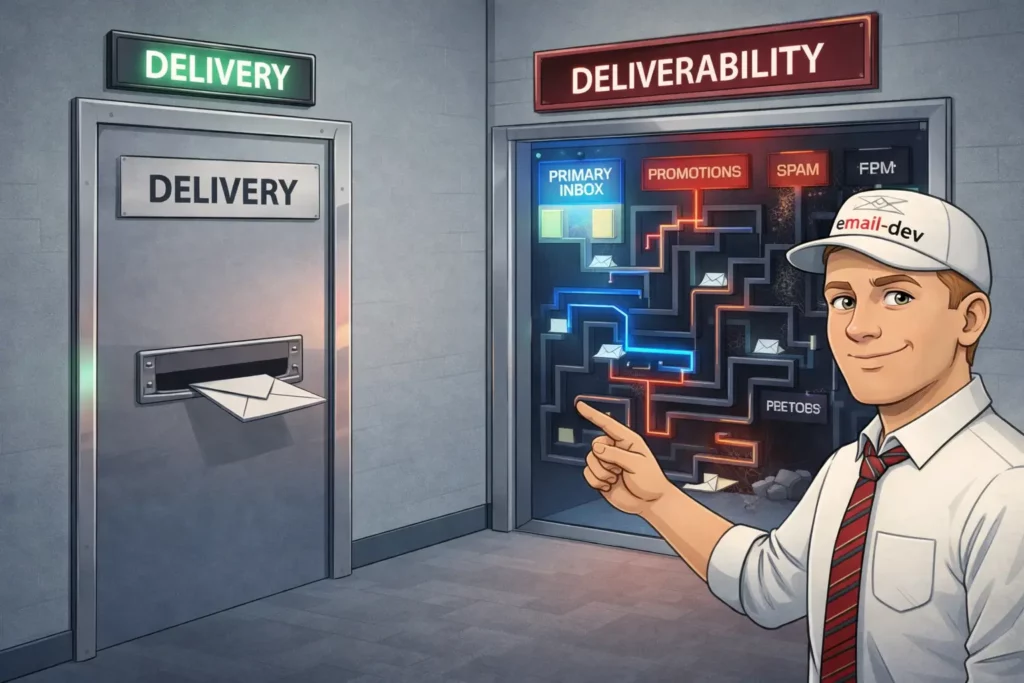
Here’s what drives me nuts about most ESP reporting: they’ll show you a 98% delivery rate and make it sound like everything’s perfect, when 20% of those “delivered” emails are sitting in spam or a tab nobody visits.
Email delivery is binary. The receiving server accepted the message or rejected it outright. If it rejects, you’ll usually see a bounce (or at least a failure). Straightforward.
Email deliverability is the messy part – where that accepted email lands: primary inbox, promotions tab, spam folder, or “delivered but functionally dead”.
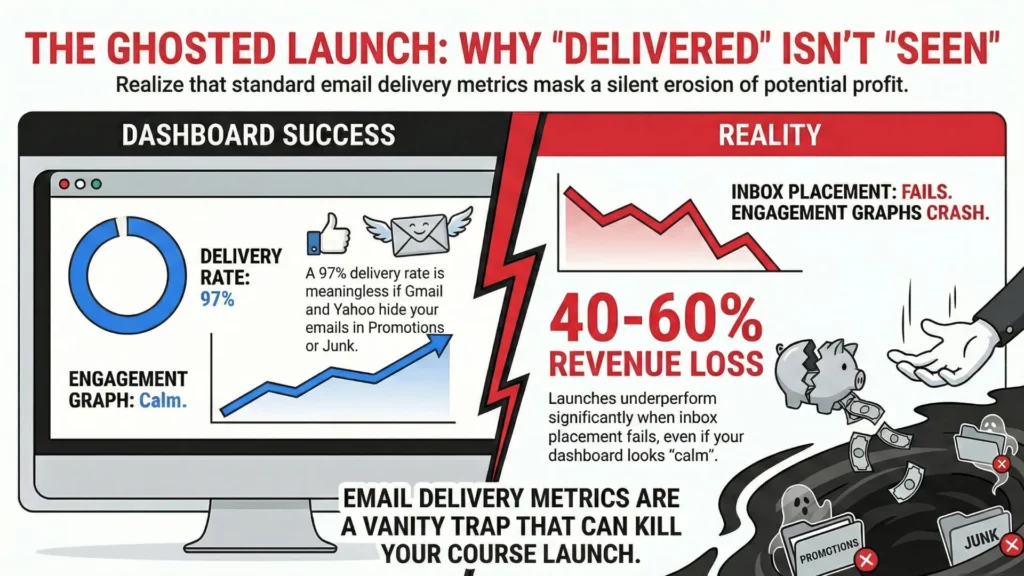
For online course creators, this distinction is brutal. Your launch sequence might be “delivering” at 97%, but if Gmail is pushing half of it into Promotions and Yahoo is junking another chunk, your engagement graphs start looking like your copywriter fell asleep on the keyboard. I’ve seen launches underperform by 40-60% simply because inbox placement was rotten and nobody was measuring it, because the ESP UI looked calm.
The technical factors behind deliverability also operate on different timelines:
- Authentication and alignment (SPF, DKIM, DMARC) can break placement immediately – sometimes on the very next send.
- Sender reputation can decay slowly, then collapse fast when a provider decides your domain/IP crossed an invisible line.
- Content filtering happens per-email, and it’s not just “spam words” – it’s structure, links, history, and how recipients behaved last time.
- Engagement signals (opens, clicks, replies, forwards, deletes, “this is spam”) still matter, but they’re harder to read now. Apple’s Mail Privacy Protection wrecked open tracking as a reliable signal, so half your “engagement story” is guesswork – and mailbox providers are absolutely using signals you don’t get to see.
List quality affects everything downstream, and it doesn’t take a huge number of bad signals to hurt you. A small pocket of spam complaints at one mailbox provider can tank placement at that provider, even if the rest of your list loves you. Deliverability is unfair like that.
Email deliverability testing and the new reality – gmail and yahoo enforcement

February 2024 was when email marketing stopped being “best practices” and became “requirements with consequences”. Gmail now classifies you as a bulk sender if you hit roughly 5,000 messages to personal Gmail accounts in a 24-hour window – and once you cross that line, you’re treated like a bulk sender going forward.2
The practical result: stuff that used to be “recommended” turned mandatory.
- SPF, DKIM, and a published DMARC record (and yes, DMARC can be
p=none, but it still needs to exist). - DMARC alignment must pass (meaning the domain in your visible From: address has to align with SPF or DKIM).
- One-click unsubscribe for marketing/subscribed messages, not just a tiny footer link.
- Spam complaint rates kept under hard thresholds (Gmail points to 0.3% as a ceiling, and staying under ~0.1% is the safer target if you like sleeping).
That 0.3% complaint ceiling sounds reasonable until you do the math. On a 50,000-person list, about 150 spam complaints is enough to put you in the danger zone – and those complaints aren’t always “your content was evil”. Sometimes it’s just people who forgot they opted in, or couldn’t find the unsubscribe link fast enough, or a corporate user hitting spam because that’s their personal unsubscribe button.
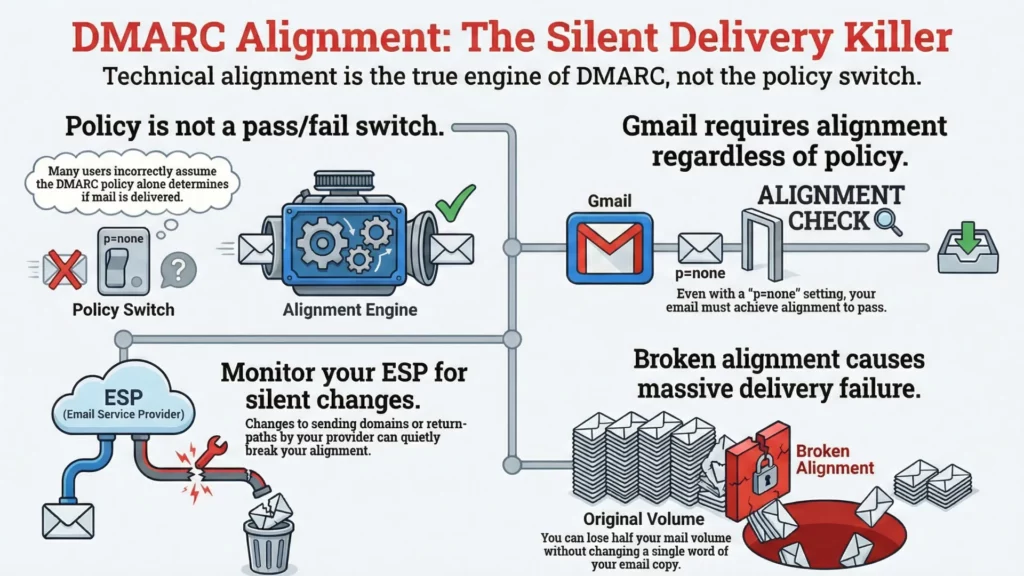
Also: the DMARC part gets misunderstood constantly. People talk about “DMARC policy” like it’s the pass/fail switch. It’s not. Gmail explicitly allows p=none, but you still need alignment to pass. If your ESP changes something (sending domain, signing domain, return-path, whatever) and alignment quietly breaks, you can go from “fine” to “why is half my mail missing?” without changing a single word of copy.
One-click unsubscribe requirements also forced a lot of platforms to grow up fast. Any custom unsubscribe flow that needs three steps and a confirmation page is basically begging users to hit “Report spam” instead. The requirement is for machine-readable headers that mailbox providers can use – and you still need a visible unsubscribe option in the email body.
And yes, the cascade effect happened: Microsoft rolled out similar enforcement for Outlook.com/Hotmail/Live high-volume senders starting May 5, 2025. Once the big providers agree on a baseline, everyone else starts taking notes.3
So if you’re running serious campaigns – course launches, agency sends, ecommerce promos, newsletters with real volume – email deliverability testing is no longer a “nice process”. It’s the thing that decides whether email is a revenue channel or a gambling habit.
The complete email deliverability testing framework – how to test email deliverability in four phases

Most people do deliverability testing backwards: send first, panic later. That’s like pouring concrete, building the house, then asking if the foundation was level. The framework I use with clients is boring on purpose – it’s sequenced to catch problems before they dent your reputation or turn a launch into a support ticket festival.
Phase 1: pre-send authentication validation

Authentication failures can nuke deliverability faster than any “spammy words” debate, and they’re usually the easiest fixes if you catch them early. I’ve watched people rewrite subject lines for two weeks while their SPF was quietly failing the whole time.
SPF record validation comes first because it’s the easiest place to spot obvious “we’re not even allowed to send this” problems.
- SPF is a DNS record that tells receiving servers which senders are allowed to send mail for a domain (technically: which servers can send for the domain used in the envelope-from/return-path, not the visible From line).
- If it’s wrong or incomplete, mailbox providers can treat your mail as suspicious, and DMARC alignment gets harder to pass later.
The most common SPF failure I see is the “too many lookups” situation. SPF evaluation is limited to 10 DNS lookups total across includes/redirects and lookup-type mechanisms. If you’ve stacked old providers, layered includes, added “just one more”, you can hit that limit without realizing it. Once you blow past it, SPF often returns a permanent error (not a “partial fail”), and now you’re depending on DKIM alone to keep DMARC alive. Not the vibe.4
MXToolbox is still one of the easiest ways to see the lookup chain and where the record explodes. MailGenius is decent too when you want a human explanation, not raw DNS mud.
DKIM signature verification is where it gets sneaky, because DKIM can be signing correctly and you still fail DMARC alignment.
- DKIM uses a cryptographic signature to prove the message wasn’t altered and that the signer controls the signing domain.
- DMARC doesn’t just ask “did DKIM pass?” – it asks “did DKIM pass and is the signing domain aligned with the domain in the visible From: address?”
If you haven’t set up custom DKIM, a lot of platforms sign with a shared or platform domain. That can still be perfectly valid DKIM – but if SPF isn’t aligned either, DMARC fails and providers get trigger-happy.
This is especially common with course platforms and “send on behalf of” setups (Kajabi, GetCourse, Teachable, and friends). They might be DKIM-signing fine, but if the signer domain isn’t aligned to your From domain (and your return-path isn’t aligned either), DMARC sees it as a fail. So you’re checking two things:
- does DKIM pass?
- is DKIM aligned with the From domain?
DMARC policy implementation is where people freeze, but it’s just a DNS record telling receivers what to do when DMARC fails, plus where to send reports.
One important correction to a common myth: setting DMARC to p=none is not “please ignore this completely.” It’s a monitoring mode. Receivers can still filter aggressively based on their own policies – you’re just not explicitly requesting quarantine/reject yet.
What changed since the 2024 bulk-sender rules isn’t that p=none “stopped working”. It’s that you can’t treat authentication/alignment as optional anymore and expect inbox placement to stay stable. Bulk requirements pushed more senders into a world where alignment failures get punished faster.
Also, DMARC does not require both SPF and DKIM alignment to pass. It needs at least one of them to pass and align5:
- SPF pass + SPF aligned = DMARC pass (even if DKIM fails), or
- DKIM pass + DKIM aligned = DMARC pass (even if SPF fails)
In practice, I still set up both, because relying on one is how you wake up to “why did this break?” after an ESP change, a routing change, or a domain config “cleanup” somebody did at 2am.
Phase 2: content and spam scoring analysis

Content analysis is more art than science because filters evolve constantly, but there’s still plenty you can test before you hit send. The goal isn’t a perfect “score”. The goal is to catch obvious self-sabotage.
Subject line analysis matters because mailbox providers learn patterns from user behavior. Words like “FREE” or “URGENT” aren’t banned spells, but if your subject looks like a 2018 spam template, you’re playing on hard mode.
Mail-Tester and similar tools will catch the cartoonishly bad stuff, but you still need a sanity check: does this sound like a legitimate business email, or does it sound like it came from a pop-up ad?
Content structure evaluation is where course creators (and ecommerce brands, honestly) accidentally trip filters.
People love repeating the “image-to-text ratio” rule like it’s physics. There isn’t a universal magic percentage. What is consistent: emails that are basically one big image (with a couple words of token text) tend to be riskier, harder to classify, and easier for filters to treat as “hiding something”.
So the practical guidance is simpler:
- don’t send image-only emails
- include real, readable text
- keep your layout understandable even if images are blocked
- don’t bury the unsubscribe link in a microscopic gray footer
Link analysis catches problems people never think about. URL shorteners can be risky because they’re frequently abused and hide the destination (if you must shorten, use a branded short domain you control). Links to sketchy domains will drag down the whole message. And yes, even legit domains can get compromised.
If it’s a business-critical send, I’ll quickly run key URLs through VirusTotal or similar reputation checks. Takes minutes. Can save you from sending a campaign that triggers security warnings or gets flagged for bad redirects.
HTML code quality affects deliverability, but not in the mystical “clean code = inbox” way people claim on LinkedIn.
What’s real:
- broken or malformed HTML can trigger spam heuristics in some systems
- messy markup can cause rendering issues that lead to complaints (“this looks broken” becomes “spam”)
- ugly code from some builders can include weird patterns (extra wrappers, duplicated styles, tracking markup spaghetti) that make troubleshooting harder when something goes sideways
Your goal here is simple: valid-enough email HTML, predictable structure, nothing “clever” that breaks in Outlook or gets rewritten by Gmail.
Phase 3: inbox placement testing – the moment of truth
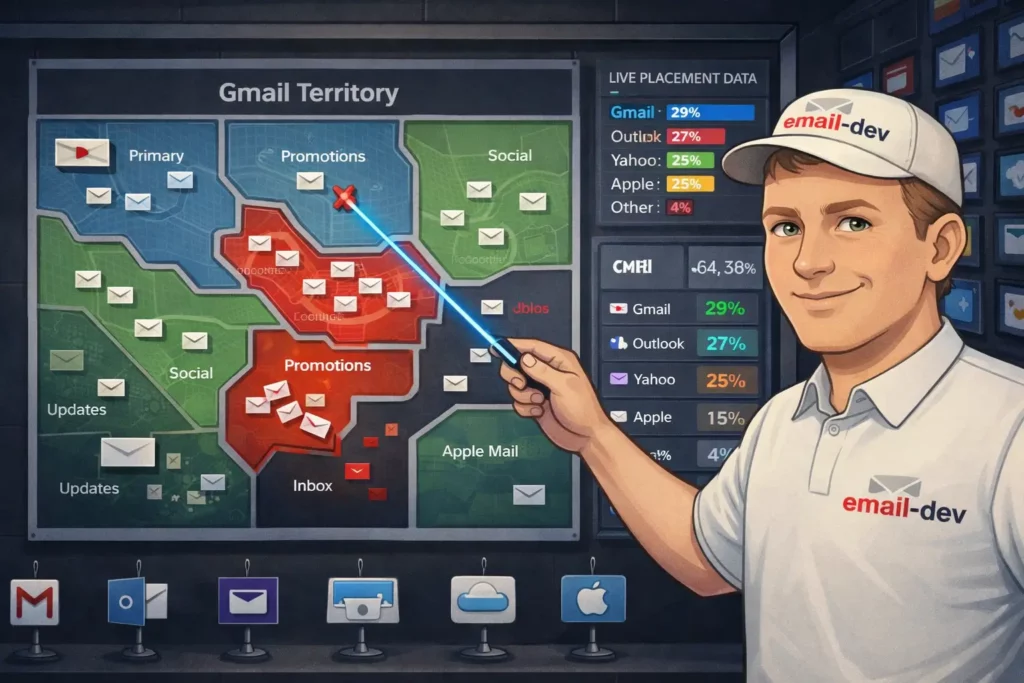
Understanding placement categories matters because “delivered” still doesn’t mean “seen”.
- Gmail: Primary, Promotions, Social, Updates, Forums (and Spam, obviously)
- Outlook (consumer + many clients): Focused vs Other, plus Junk
- Yahoo: mostly Inbox vs Spam (Yahoo doesn’t really do the Gmail-style tab ecosystem in the same way, but it does filter aggressively)
Landing in Gmail Promotions isn’t automatically bad for launches – plenty of people browse it when they’re in buying mode. But if your onboarding emails, password resets, or “here’s your course login” messages are getting classified like marketing, that’s a problem.
Seed testing methodology with tools like GlockApps, Litmus, or similar gives you a snapshot across major providers, but know what it is: a controlled test using accounts that don’t have a real relationship with your brand.
That’s still useful – it catches authentication screwups, obvious content issues, and “this domain is poisoned” problems. It just doesn’t fully predict how your real subscribers will see the email after months of engagement history.
DIY seed testing setup is worth it if you send meaningful volume (say, 10k+ per month) or you run launches where a single bad day costs real money.
Create test accounts across Gmail, Yahoo, Outlook, and Apple Mail. Age them properly – don’t create them today and start blasting tests five minutes later. Let them receive normal mail, open some messages, ignore others, click sometimes (like a messy human).
Then track results consistently using the same accounts and the same method so you can spot patterns over time. A sudden placement shift across multiple providers usually screams “auth/reputation issue”. A shift at one provider often points to content patterns, list quality at that provider, or complaints.
Phase 4: engagement and reputation monitoring

Key metrics to track go beyond opens and clicks (especially now that open tracking is half-blind thanks to privacy features).
- Spam complaint rate (this is the one that affects future placement fast)
- Hard bounce rate (list quality / bad acquisition / old data)
- Unsubscribe patterns (spikes usually mean frequency mismatch, expectation mismatch, or poor targeting)
- Engagement trends over time, by mailbox provider if you can get it
On complaint rates, the math is brutal. Gmail’s guidance is basically: stay under 0.3%, and under 0.1% is the safer zone. On 10,000 delivered messages, 10 spam complaints is already 0.1%. You don’t need an “angry audience” to hit that – you just need unclear expectations or lazy list hygiene.
Google Postmaster Tools setup is not “mandatory” in the legal sense, but if you send real volume to Gmail, it’s hard to justify not setting it up. It can take a few days to populate data, and if your volume is too low you’ll see “not enough data” on some dashboards – but when it’s available, it’s one of the few windows you get into Gmail’s view of your domain.
Pay attention to:
- Spam rate (user-reported)
- Domain reputation (High/Medium/Low/Bad)
- Authentication dashboards (whether Gmail sees your mail passing)
Domain reputation is not a perfect predictor, but it’s one of the best early warnings you’ll get. If it slides, don’t wait a month to investigate.
Yahoo complaint feedback loop (CFL) is Yahoo’s equivalent idea: you can get complaint reports when Yahoo users mark your mail as spam, so you can suppress those addresses quickly.
Many ESPs process feedback loops automatically – but don’t assume. Verify it’s working for your sending setup (especially if you’re using a platform that sends “on behalf of” your domain). If complaint data isn’t being applied, you’ll keep emailing complainers, and Yahoo will keep learning that your mail annoys people. Predictable ending.
Tool-by-tool email deliverability testing guide – what works and what’s marketing fluff
The email deliverability testing tool market is flooded with options that range from genuinely useful to expensive theatre. I’ve tested most of them on real campaigns, and the gap between “looks impressive in a dashboard” and “helps you hit inboxes” is… large.
This section is basically: if you want to know how to test email deliverability without lighting money on fire, start here.
Free email deliverability testing tools – start here before spending money
Mail-tester.com walkthrough
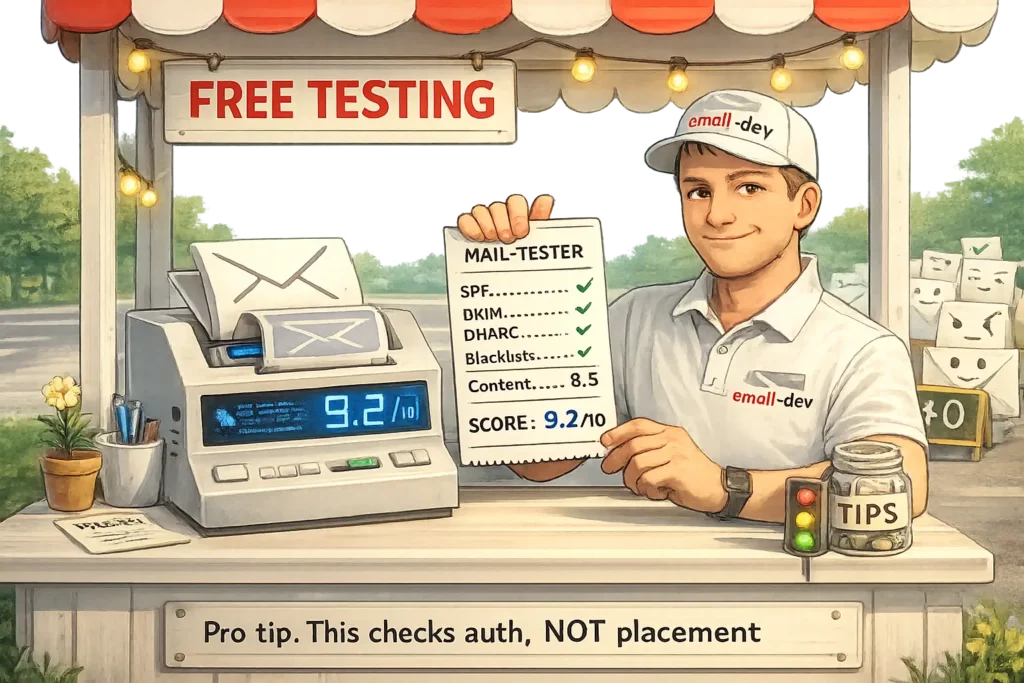
Mail-tester is where I send client emails before they go live, because it catches a lot of the boring failures that quietly wreck inbox placement: broken SPF, missing DKIM, sketchy links, weird headers, spammy patterns you didn’t notice because you’ve stared at the copy for too long.
How to use it properly:
- Mail-tester generates a unique test address (something like
[email protected]). - Send your email to that address exactly the way you will send to subscribers (same ESP, same From domain, same tracking, same everything).
- Read the breakdown, not just the headline score.
It scores 0 to 10. My practical rule:
- 9-10: usually fine, unless you’re doing something spicy (new domain, cold list, aggressive promo).
- 7-8: investigate, because something is probably brittle.
- Below 7: you’re walking into a problem on purpose.
What Mail-tester is good at:
- SPF/DKIM/DMARC visibility (and basic “this doesn’t match” problems)
- Blacklist checks (at least the obvious ones)
- Content rules that trigger common filters
- Link + domain reputation hints
What it won’t do:
- Tell you where you’ll land (Primary vs Promotions vs Spam) across mailbox providers. A clean score is not the same thing as inbox placement.
Warmy.io free deliverability test
Warmy’s free deliverability test is useful as a second opinion, especially if you want a quick snapshot that includes provider-level placement signals and a basic blacklist/reputation check.
The flow is similar: send to a generated address, wait for a report, then look for patterns. Warmy tends to be a bit stricter on content scoring than Mail-tester, which I don’t hate – strict tools force you to clean up the borderline stuff before Gmail gets grumpy.
The catch: the free layer is still a “health check”, not a deep monitoring setup. If you’re sending serious volume, you eventually need repeatable inbox placement testing, not one-off scores.
Google postmaster tools setup and interpretation
If a meaningful chunk of your list is Gmail (which, for most businesses, it is), Google Postmaster Tools is the closest thing you’ll get to Gmail saying: “here’s how we see you.”
A few important realities:
- Postmaster Tools is volume-dependent. If you’re sending low volume to Gmail addresses, you might see gaps or no data6.
- The most useful views are domain/IP reputation, spam rate, and authentication results.
- Postmaster spam rate data is not “your unsubscribe rate’s cousin”. It’s a direct signal tied to future placement.
Also: don’t treat it like a panic dashboard. Treat it like a trend dashboard. If reputation drops, the move isn’t “change your subject lines”. The move is “stop mailing dead weight, fix authentication/alignment, reduce complaint triggers, and give it time to recover.”
Premium email deliverability testing tools – when free isn’t enough

GlockApps comprehensive testing
GlockApps is one of the more practical options when you want real inbox placement signals across major mailbox providers, not just a spam score.
The biggest upgrade over free tools is the workflow: you can run repeatable inbox placement tests using their seed list, compare results between campaigns, and spot “we’re fine in Gmail but Yahoo hates us” situations without guessing.
Pricing changes over time, but the entry plans tend to start in the “not cheap, not insane” range – roughly the cost of one small screw-up during a launch.
Litmus email testing
Litmus isn’t an inbox placement tool in the same way GlockApps is. It’s more like pre-flight QA: rendering previews, checks, and spam testing so you can fix problems before they become complaints, refunds, or brand damage.
It can help deliverability indirectly:
- broken rendering leads to bad engagement
- bad engagement leads to worse filtering
- worse filtering leads to “why did revenue fall off a cliff?”
The catch is price. Litmus has become hard to justify unless you’re running an email team, supporting multiple brands, or shipping emails constantly and you need collaboration + previews + testing in one place.
Mailtrap for staging and development testing
Mailtrap is a different category. It’s not “will this land in Gmail inbox”. It’s “can we test emails safely without sending to real humans.”
Use Mailtrap when you’re:
- building or updating automated sequences
- testing ESP integrations or transactional emails
- validating HTML/CSS output from templates
- sanity-checking content and basic spam analysis in a controlled environment
What it won’t do (because it literally can’t, by design):
- give you true inbox placement, because the message isn’t actually being delivered to Gmail/Yahoo/Outlook ecosystems
Specialized email deliverability testing tools – for advanced users
Unspam.email content analysis
Unspam is basically a content-focused spam checker with a heatmap-style report, so you can see which sections of an email look suspicious to filters (or at least, which parts the tool thinks are risky).
I like tools like this for one thing: making it easier to argue with yourself. You feel like the email is fine, the tool points at the parts that look salesy or repetitive, and you rewrite without turning the email into bland corporate oatmeal.
250ok / Validity (Everest)
Quick correction because a lot of old blog posts still reference “250ok” like it’s a product you can buy: 250ok was acquired by Validity and the standalone platform is no longer sold. The modern “enterprise monitoring” path here is Validity’s Everest platform.7
If you’re sending at enterprise scale, tools like Everest can make sense because one deliverability incident costs more than a year of software. For everyone else, it’s usually overkill: too expensive, too heavy, too many dashboards for problems you can solve with simpler testing plus disciplined list hygiene.
Email deliverability testing workflows for different use cases – because one size fits nobody
The biggest mistake I see with email deliverability testing is people treating every email like it’s the same species. A course launch sequence is not a weekly newsletter. An agency juggling 20 client domains is not a solo creator sending to 5,000 subscribers. And the workflow that makes sense for transactional mail (password resets, receipts) is a time-waster if you’re shipping simple text-based nurture emails.
So yeah – one framework, different “settings”.
For course creators and info product sellers
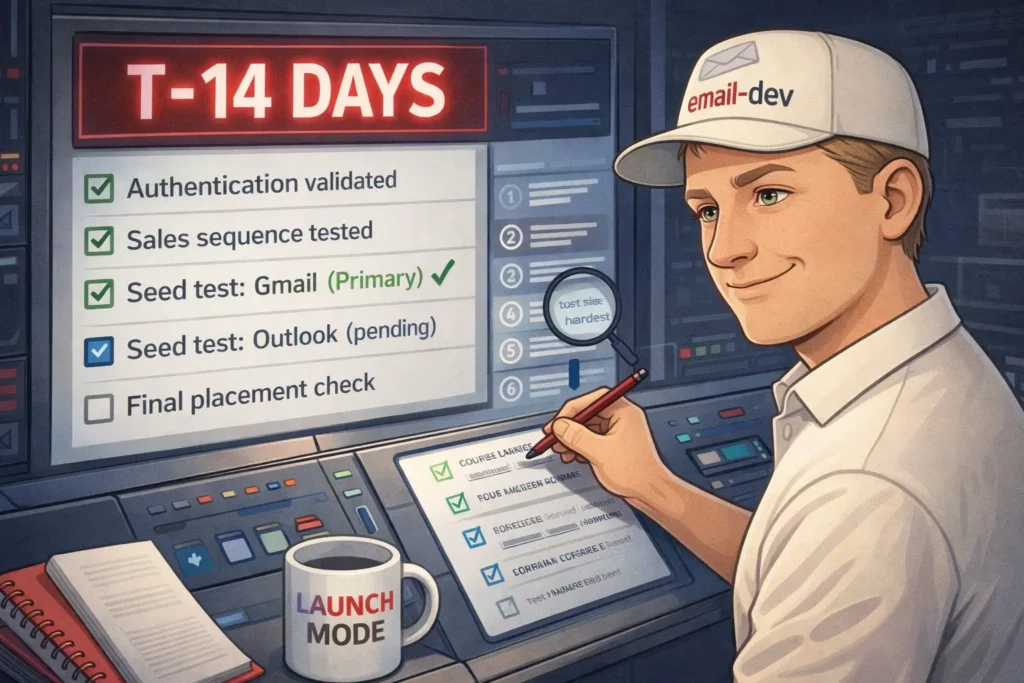
Pre-launch deliverability testing protocol should start before you’re emotionally attached to the launch calendar. Two weeks before open-cart is a good minimum, not because it’s magic, but because DNS and reputation fixes sometimes need a little time to settle, and you don’t want to discover “alignment is failing” while you’re already watching Stripe.
My baseline workflow:
- Run an authentication + header sanity check on your main sending domain (SPF/DKIM/DMARC, alignment, return-path weirdness).
- Run each key email (first email, biggest sales email, last-chance email) through a free checker like Mail-Tester.
- Do a manual seed test across real inboxes you control (Gmail, Yahoo, Outlook). Not ten tabs of dashboards. Just: where did it land?
If you’re launching to 10k+ people, or email is the difference between “good month” and “pain month”, upgrade to a placement tool (GlockApps or similar) so you can see patterns across providers instead of guessing.
Sales email vs. educational content considerations matter more than people want to believe. Your weekly “here’s a lesson” email can land fine for months, then you switch into pricing + urgency + CTA stacking and suddenly your placement shifts. Same domain. Same list. Different filtering vibe.
So test sales-heavy emails separately. Especially the ones you keep reusing because they convert. A “proven” email that hasn’t been through deliverability testing in six months is basically a trusted grenade.
Platform-specific testing for course platforms is non-negotiable because a lot of course stacks send “on behalf of” your domain and the details vary: how DKIM is signed, what the return-path looks like, whether you’re on a shared IP pool, whether you can control custom DKIM, etc.
One correction to the usual blame game: it’s rarely “platform X is broken”, it’s usually “your domain setup + platform sending setup + mailbox rules don’t line up cleanly”. So test inside the platform you’ll actually use for the send. Don’t test from a different ESP and assume the result transfers.
If you’re on a shared IP pool, your results can be influenced by other senders using that pool (sometimes for better, sometimes for worse). Dedicated IPs can reduce that shared risk, but they’re not a free win – they need volume and warmup, and a bad fit can make things worse, not better.8
If you want a quick “what does the world think of this IP” check, Sender Score can be a useful rough signal – rough being the keyword.9
Mobile optimization priorities matter for deliverability in an indirect, annoying way: broken mobile rendering drives deletes, unsubscribes, and spam complaints. That feeds back into placement.
Preview tools help, but I still prefer checking at least a couple of real devices and real apps (Gmail app, Outlook app, Apple Mail). Email clients don’t behave like browsers, and mobile apps are full of “surprise” CSS handling.
For email marketing agencies

Client onboarding deliverability testing audit should be part of the contract, because inheriting someone else’s reputation mess is expensive and slow. Clients don’t love hearing “we can fix this, but not instantly”, yet that’s often the truth with reputation recovery.
A practical onboarding audit covers:
- authentication + alignment (SPF/DKIM/DMARC)
- basic domain/IP reputation signals (including Gmail where possible)
- list quality indicators (bounce rates, complaint patterns, old segments)
- a quick check of existing templates (some HTML patterns invite trouble)
And document everything. Not for bureaucracy. For survival. When you can show “this was broken on day 1, here’s what changed, here’s the trend”, the relationship stays sane.
Ongoing monitoring workflows need to be systematized, because you can’t manually run a full tool stack for every campaign on every client.
One important fact-check: Google Postmaster Tools does not give you nice built-in alerting out of the box. If you want alerts, you either check it regularly, or you pull data via the Postmaster Tools API into something you control (Sheets, dashboards, internal tooling) and set alerts there.10
Testing cadence can be simple:
- high-volume clients: weekly placement/reputation check
- mid-volume: every two weeks
- low-volume: monthly, plus extra checks before major campaigns
Reporting deliverability metrics to clients is where agencies either win trust or lose it. Most clients don’t care about “SPF alignment” as a concept. They care about: are emails showing up, and is revenue attached.
So translate:
- placement trend (inbox vs spam) – not just “delivery”
- complaint rate trend
- reputation trend (especially Gmail)
- what actions you took and what changed
Scaling across multiple client accounts is less about tools and more about pattern detection. If three clients on the same ESP suddenly see Gmail placement drop in the same week, that’s not “all three clients wrote bad subject lines at once”. That’s usually infrastructure, IP pool reputation, authentication drift, or a provider-side change. You only catch that if you’re monitoring consistently across clients.
For small business owners
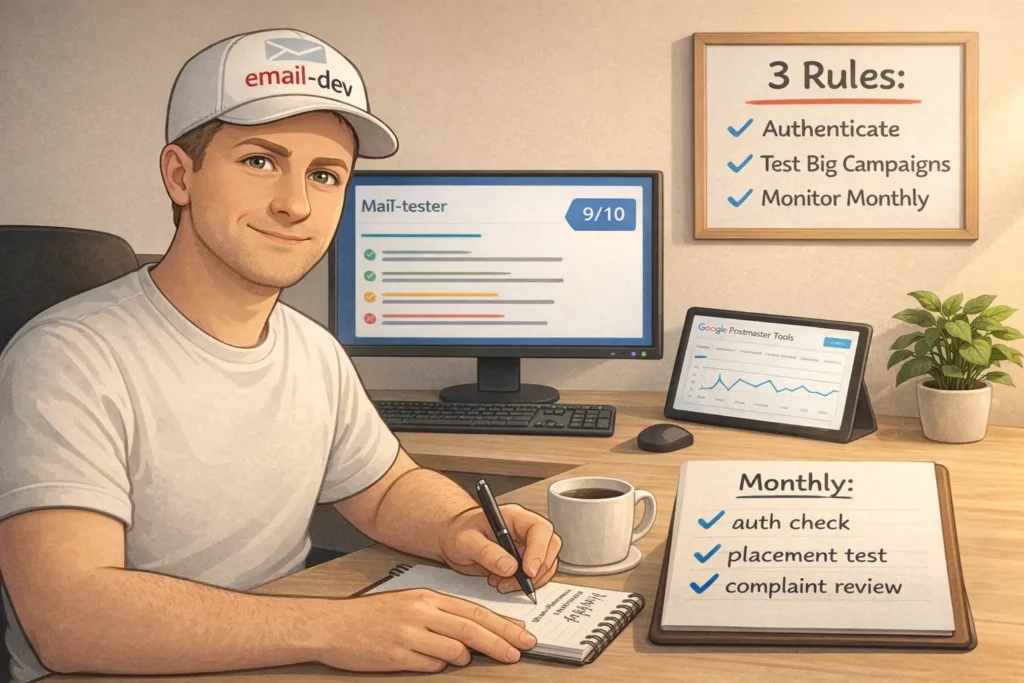
Essential vs. nice-to-have email deliverability testing is basically: do the stuff that prevents disasters first, then stop.
A small business sending simple campaigns to 3,000 subscribers does not need an enterprise QA stack. What you do need:
- basic authentication check when you set up your domain or switch providers
- run big campaigns (and big template changes) through a free checker
- keep a couple of seed accounts and spot-check placement
- check reputation signals monthly (and more often if something looks off)
That covers most of the problems that actually hurt.
Budget-conscious testing strategies are mostly about knowing when a paid tool is worth it. The upgrade moment tends to happen when:
- your list gets big enough that small % changes are real money, or
- email is a primary revenue channel and a single bad week is expensive
Below that, discipline beats software.
When to outsource vs. handle in-house comes down to whether DNS changes make you sweat. If you can manage SPF/DKIM/DMARC without guessing, you can probably run ongoing testing yourself. If DNS feels like defusing a bomb, hire someone to set it up cleanly, then keep the ongoing workflow in-house. Most deliverability problems are repetitive once you know what “normal” looks like.
Email deliverability testing – interpreting results without making random changes
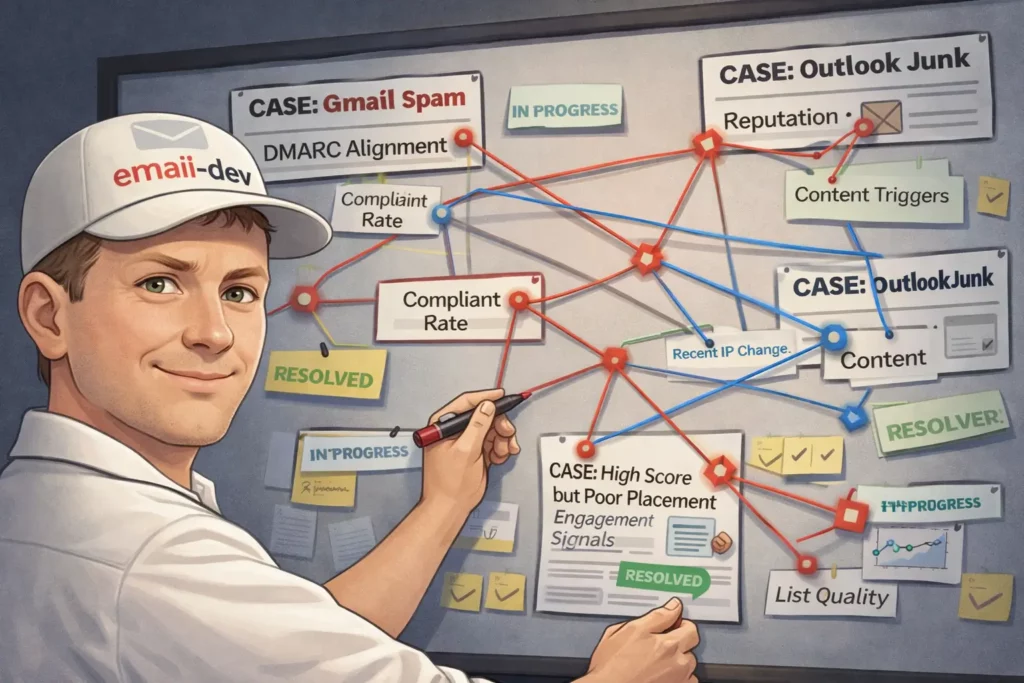
Most people run email deliverability testing, get a pile of numbers they don’t really understand, change three things at once, then act shocked when nothing improves. Testing is easy. Interpreting it is the whole job.
This section is about turning “data” into a short list of actions that actually move inbox placement.
Email deliverability testing – common scenarios, what they usually mean, and what to fix
Gmail spam placement or rejections even though your ESP says “delivered”
If Gmail is junking (or rejecting) mail that your ESP swears is fine, assume one of these is true until proven otherwise:
- SPF/DKIM/DMARC isn’t configured the way Gmail expects for bulk senders
- DMARC alignment is failing (not just “DKIM passes somewhere”, but aligned to the From domain)
- you’re missing one-click unsubscribe headers for marketing mail
- complaint rate is too high and Gmail is punishing you
Gmail’s bulk sender rules (5,000+ messages/day to personal Gmail accounts) explicitly require SPF, DKIM, and DMARC, plus one-click unsubscribe for marketing/subscribed messages.11
And Gmail tightened enforcement again starting November 2025, including temporary and permanent rejections for non-compliant traffic.12
What to check (in plain terms, not vendor-dashboard terms):
- DMARC alignment, specifically:
- SPF alignment depends on the envelope-from / return-path domain, not your visible From
- DKIM alignment depends on the DKIM signing domain matching (or being a subdomain of) your visible From domain
- One-click unsubscribe headers for marketing mail:
List-UnsubscribeandList-Unsubscribe-Post: List-Unsubscribe=One-Click(Gmail is explicit about this)
- User-reported spam rate in Postmaster Tools (it updates daily, with lag):
- Gmail calls out 0.3% as a hard line in their FAQ context
The fix is usually boring and technical: set up custom DKIM for your domain in your ESP/platform, make sure either SPF or DKIM aligns for DMARC, and confirm your unsubscribe implementation actually works the way Gmail expects.
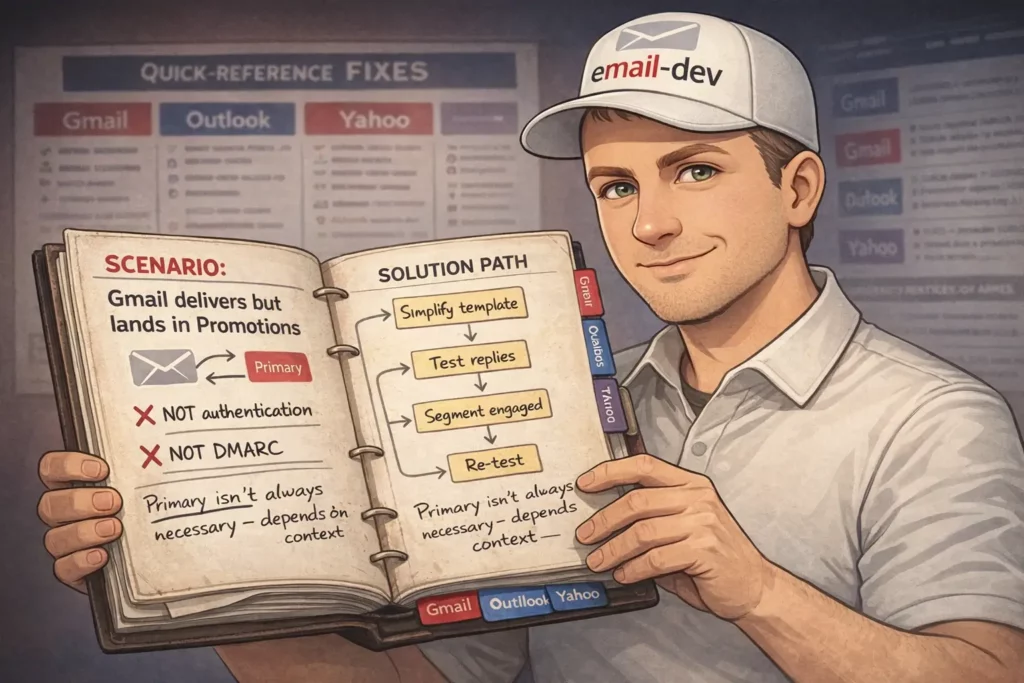
Gmail keeps landing you in Promotions (and you want Primary)
First – Promotions is not “bad deliverability”. It’s classification. Gmail has multiple inbox categories and it’s doing its own thing based on patterns, structure, and recipient behaviour. Trying to “force Primary” is like trying to force YouTube to show your video to only rich people who love buying stuff. Good luck.
Also, this is not a DMARC alignment issue. When alignment is broken, you tend to see spam placement, throttling, or rejection – not a neat little Promotions label.
What usually pushes you toward Promotions:
- heavy marketing structure (lots of links, buttons, hero sections, repeated CTAs)
- very “campaign-y” language patterns
- consistent bulk behaviour + low reply signals
- recipients who treat your mail like marketing (because… it is)
If you want to nudge toward Primary, the most reliable levers are behavioural, not technical:
- write emails that get replies (even occasional ones)
- segment out unengaged subscribers so you’re not sending to people who keep ignoring you
- simplify template structure for certain message types (welcome/onboarding often benefits)
This is one of those areas where nobody can promise outcomes, only improve odds.
Outlook/Hotmail placement problems – junking, filtering, or outright blocking
Two different issues get mashed together as “Outlook problems”:
- Rendering: classic Outlook for Windows uses Microsoft Word as the rendering engine, which breaks modern HTML/CSS in entertaining ways.13
- Filtering: Outlook.com/Hotmail filtering is server-side and has its own enforcement rules for high-volume senders.
If you mean “my email looks broken in Outlook” – that’s rendering.
If you mean “my email goes to junk / gets blocked at Outlook.com” – that’s filtering, reputation, authentication, complaints.
Microsoft rolled out high-volume sender requirements (5,000+ emails/day) starting May 5, 2025, initially routing non-compliant messages to Junk, with future rejection planned.14
So if Outlook.com is junking you, check:
- SPF/DKIM/DMARC and alignment (same story as Gmail, different ecosystem)
- complaint patterns (feedback loops through your ESP, list hygiene)
- whether you recently changed sending infrastructure (new IPs, new domains, new return-path)
And separately, for rendering: simplify HTML, use Outlook-safe patterns, and treat background images like a “bonus feature” with a fallback, not a dependency.
High “spam score” in a testing tool even though your content is fine
Spam scores are not laws of physics. They’re heuristics. Useful, but not sacred.
When tools scream, it’s usually one of these:
- SPF lookup limit blow-ups (too many includes) causing SPF permerror15
- missing one-click unsubscribe headers for marketing mail (now a real requirement, not a nice footer link)
- link/domain reputation issues (especially shorteners or weird redirects)
- sending IP reputation (shared pool drama)
If you see a high score and can’t find an obvious reason, don’t do the classic move of rewriting the whole email into beige corporate oatmeal. Check authentication and headers first. The boring stuff breaks most often.
Authentication passes but placement is still poor
If SPF/DKIM/DMARC are aligned and passing, and placement still stinks, you’re probably dealing with engagement-based filtering.
Mailbox providers care how recipients behave. If a big chunk of your list ignores you, deletes without reading, or complains, you can be technically compliant and still get filtered.
Fixes here are more “operations” than “DNS”:
- segment to engaged subscribers (especially for sales pushes)
- suppress dead weight (people who haven’t engaged in months)
- reduce frequency to cold segments
- improve expectation-setting at opt-in so you don’t collect people who never wanted you
Email deliverability testing – prioritising fixes when everything feels broken
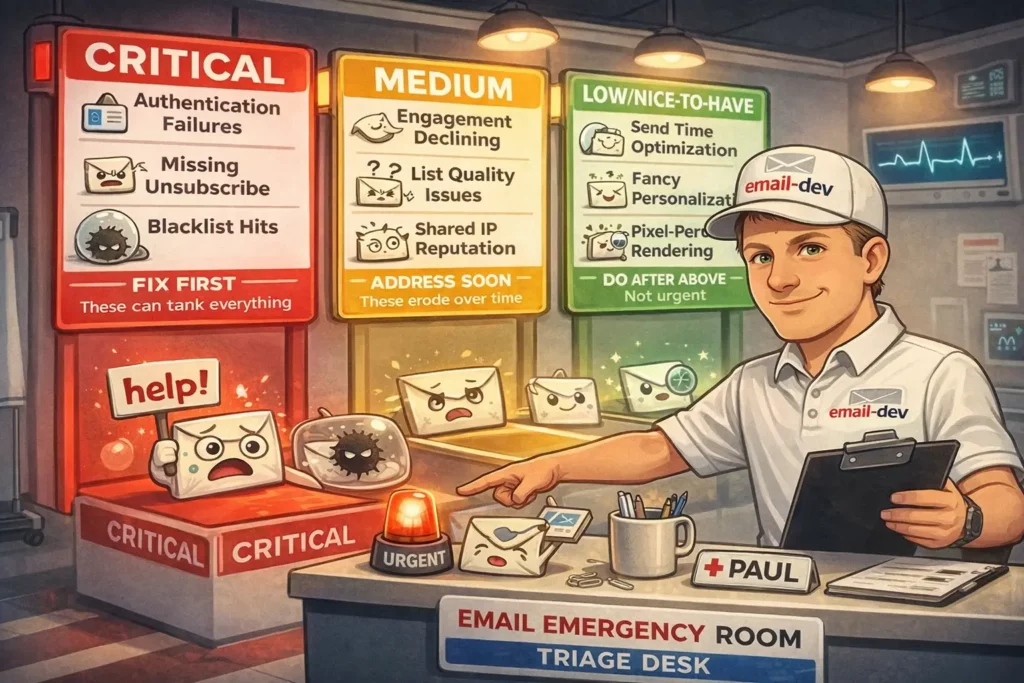
Critical issues that can wreck deliverability fast
- Authentication/alignment failures (SPF/DKIM/DMARC for bulk sending)
- Missing one-click unsubscribe for marketing/subscribed messages
- High user-reported spam rate, especially if you’re flirting with Gmail’s 0.3% line
- Major blacklisting (less common than people think, still worth checking when you see sudden multi-provider drops)
Fix these first. Content tweaks won’t compensate for broken identity.
Medium impact issues that erode you over time
- poor engagement trends (especially on large sends)
- list quality (old imports, purchased lists, stale segments – the usual suspects)
- shared IP pool reputation problems (sometimes it’s you, sometimes it’s the neighbour setting things on fire)
Nice-to-have improvements
- send-time optimisation
- fancy personalisation
- hyper-detailed reporting
- pixel-perfect rendering for every client under the sun
Do these after you stop bleeding.
Email deliverability testing – when to retest and how long to wait
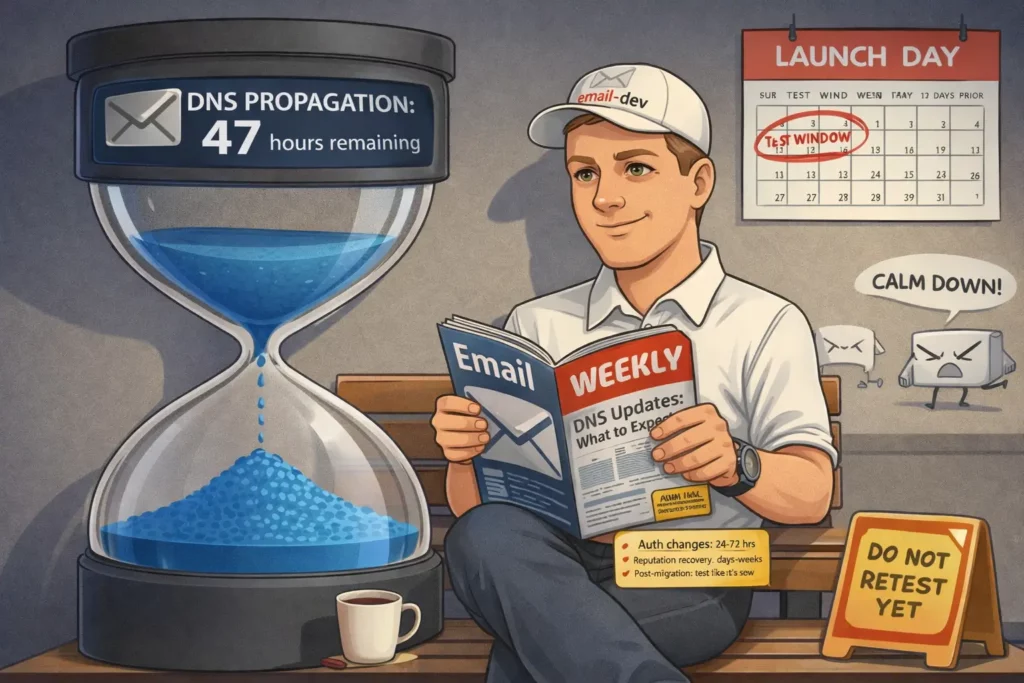
After authentication/DNS changes, don’t retest five minutes later and declare reality broken.
DNS propagation depends on TTL and caching. Often it’s hours, sometimes longer, and “up to 72 hours” is still a common outer edge depending on what exactly changed.16
What I do in practice:
- retest once after the TTL window has realistically passed (same day or next day for most setups)
- then monitor provider-side signals (Postmaster Tools, complaint rate trends) over several days, because reputation systems don’t instantly forgive you
Before launches, run your deep tests at least a week ahead. Not because the tests take a week – because fixes sometimes do.
After ESP migrations, assume weirdness. New IPs, different defaults, different header behaviour, different signing setup. Treat it like a fresh system until you’ve tested it in production-like conditions.
Email deliverability testing – future-proofing without chasing every shiny thing
Here’s the trendline that matters: mailbox providers keep tightening enforcement, not loosening it.
- Gmail’s bulk sender requirements started Feb 2024 and enforcement escalated in late 2025.
- Microsoft followed with similar high-volume rules starting May 5, 2025.
- Yahoo’s sender guidance explicitly calls out one-click unsubscribe (RFC 8058 style) and fast processing of unsubscribes.17
If you want to “future-proof”, don’t try to guess the next requirement bullet point. Build habits that survive policy changes:
- keep authentication aligned (not just present)
- keep complaint rate boringly low
- keep list hygiene aggressive (especially before launches)
- bake testing into your campaign process, not as a post-mortem ritual
Conclusion – making email deliverability testing actually work
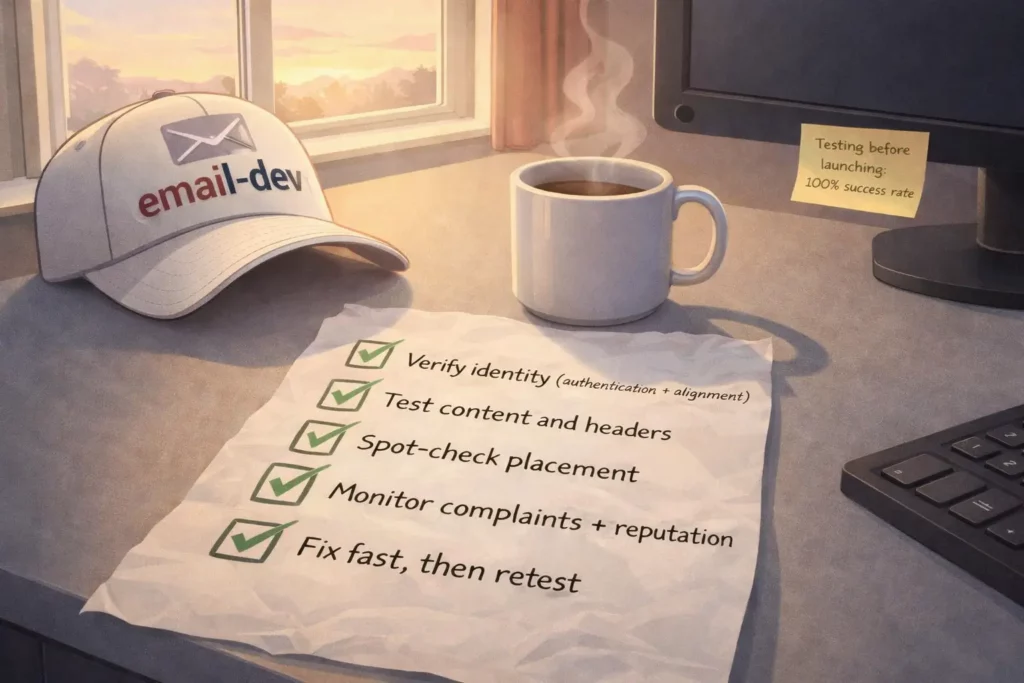
If there’s one difference between people who constantly “fight deliverability” and people who don’t, it’s not genius-level technical skill. It’s that they treat email deliverability testing like a system:
- verify identity (authentication + alignment)
- test content and headers
- spot-check placement
- monitor complaints and reputation signals
- fix fast, then retest on a sane timeline
You don’t need every tool. You need a repeatable process, and you need to run it before your revenue depends on it.
If you want a practical next step, do this on your next campaign:
- Run a send through Mail-Tester (or similar) and fix any authentication/header issues it flags.
- Check Gmail Postmaster Tools for spam rate + reputation trend (if you have enough volume to see data).
- Seed test in at least Gmail + Outlook.com + Yahoo and log the placement.
- If placement is unstable, segment harder and stop sending big promos to dead subscribers.
That’s not glamorous. It just works.
Quiz to test your knowledge
Knowledge is nothing without practice! To solidify what you have learned, take a short quiz.
Results
Well done!
You can improve your results! The article will help you!


#1. What is the primary difference between email delivery and email deliverability according to the source material?
#2. When evaluating SPF records, what is the maximum number of DNS lookups allowed before a permanent error is triggered?
#3. According to the bulk sender rules implemented in early 2024, at what volume of daily messages does Gmail classify a sender as a ‘bulk sender’?
#4. Which statement accurately describes the requirement for a DMARC pass to occur?
#5. What is the specific ‘spam complaint rate’ ceiling mentioned by Gmail that senders should stay under to avoid deliverability damage?
#6. Which tool is best suited for checking if your email will be rendered correctly in different versions of Microsoft Outlook?
#7. What common misconception about Gmail’s ‘Promotions’ tab is clarified in this article?
#8. Why might a sender see ‘No data’ or gaps in their Google Postmaster Tools dashboard?
#9. Microsoft updated its requirements for high-volume senders, moving toward potential rejection of non-compliant mail, starting on which date?
#10. What is the primary function of setting a DMARC policy to p=none?
Footnotes
- Validity’s 2025 Email Deliverability Benchmark shows 2024 inbox placement in the ~83-84% range depending on quarter. ↩︎
- Gmail’s requirements for 5,000+ messages/day start February 1, 2024, spam rate guidance is “below 0.3%”, DMARC can be
p=none, and From-domain alignment is explicitly required. https://support.google.com/a/answer/81126?hl=en ↩︎ - Enforcement for high-volume senders starts May 5, 2025 (and Microsoft moved toward rejection language in their updated post). https://techcommunity.microsoft.com/blog/microsoftdefenderforoffice365blog/strengthening-email-ecosystem-outlook%E2%80%99s-new-requirements-for-high%E2%80%90volume-senders/4399730 ↩︎
- SPF lookup limit 10 DNS lookups total during evaluation (includes/redirects and lookup mechanisms). (IETF Datatracker) ↩︎
- DMARC logic corrected: DMARC passes if either SPF or DKIM passes and aligns (not “both must align”). (Google Help) ↩︎
- Postmaster Tools is volume-dependent and Google doesn’t publish an exact threshold; Microsoft’s documentation notes data tends to appear around ~100+ messages/day to unique Gmail users. (Google Help) ↩︎
- https://www.validity.com/everest/250ok/ ↩︎
- https://support.sendgrid.com/hc/en-us/articles/17326626295579-Email-Deliverability-Shared-IP-Pools-101 ↩︎
- https://senderscore.org/assess/get-your-score/ ↩︎
- https://developers.google.com/workspace/gmail/postmaster ↩︎
- https://support.google.com/a/answer/81126?hl=en ↩︎
- https://support.google.com/a/answer/14229414?hl=en ↩︎
- https://www.litmus.com/blog/a-guide-to-rendering-differences-in-microsoft-outlook-clients ↩︎
- https://techcommunity.microsoft.com/blog/microsoftdefenderforoffice365blog/strengthening-email-ecosystem-outlook%E2%80%99s-new-requirements-for-high%E2%80%90volume-senders/4399730 ↩︎
- https://datatracker.ietf.org/doc/html/rfc7208 ↩︎
- https://www.digicert.com/faq/dns/what-is-dns-propagation ↩︎
- https://senders.yahooinc.com/best-practices/ ↩︎