You probably think your emails look the same to everyone. They don’t. Right now, some of your subscribers are seeing broken buttons, invisible text, or layouts that look like they were designed by someone having a seizure. Your ESP’s preview tool shows you the best-case scenario while hiding the disasters happening in real inboxes. Most email marketing plans start with strategy and hope the technical stuff works out. That’s like planning a road trip without checking if your car starts. Your brilliant nurture sequence means nothing if thirty percent of your audience gets emails that look broken, and you’re sitting there wondering why your conversion rates suck.
I fix these problems for people who thought they had strategy problems when they really had execution problems. The gap between what you think your emails look like and what they actually look like is costing you money every day.
- What your email marketing plan actually needs to do
- Step 1: Stop your emails from looking like garbage
- Here’s what happened when I tested one client’s “perfect” email template:
- Your testing reality check:
- Step 2: Build your plan around problems people actually have
- The segmentation that actually drives results:
- Your problem-based segmentation:
- Step 3: Plan content around where people actually are (not where you want them)
- The content planning reality:
- Content track examples:
- The implementation challenge:
- Step 4: Set up automation that responds to what people actually do
- Automation that adapts to actual behavior:
- Conditional automation examples:
- The technical reality:
- Step 5: Design emails that survive email clients trying to destroy them
- Design constraints that actually matter:
- The progressive enhancement approach:
- Your testing workflow:
- Step 6: Track metrics that predict money instead of measuring vanity
- The metrics that actually predict revenue:
- The implementation challenge:
- What to stop measuring:
- Step 7: Build systems that don’t burn out your audience
- The long-term approach:
- Monitoring subscriber health:
- Your retention strategy:
- The reality about email marketing plans that work
What your email marketing plan actually needs to do
Skip the marketing theory for a minute. Your email marketing plan has one job: get the right message to the right person at the right time without anything breaking along the way. Everything else is decoration.
Most plans focus on the message part – what to write, when to send it, who gets what content. Fine. But they completely ignore the “without anything breaking” part, which is why campaigns that look brilliant in spreadsheets fall apart in real inboxes.
Your plan needs seven things, in this order: technical foundation that works, content that matches where people actually are (not where you want them to be), automation that responds to what people do (not what you think they should do), segmentation based on problems people actually have, design that survives email clients trying to destroy it, metrics that predict money instead of measuring vanity, and systems that don’t burn out your list.
That’s it. Everything else is optimization you can worry about later.
Step 1: Stop your emails from looking like garbage
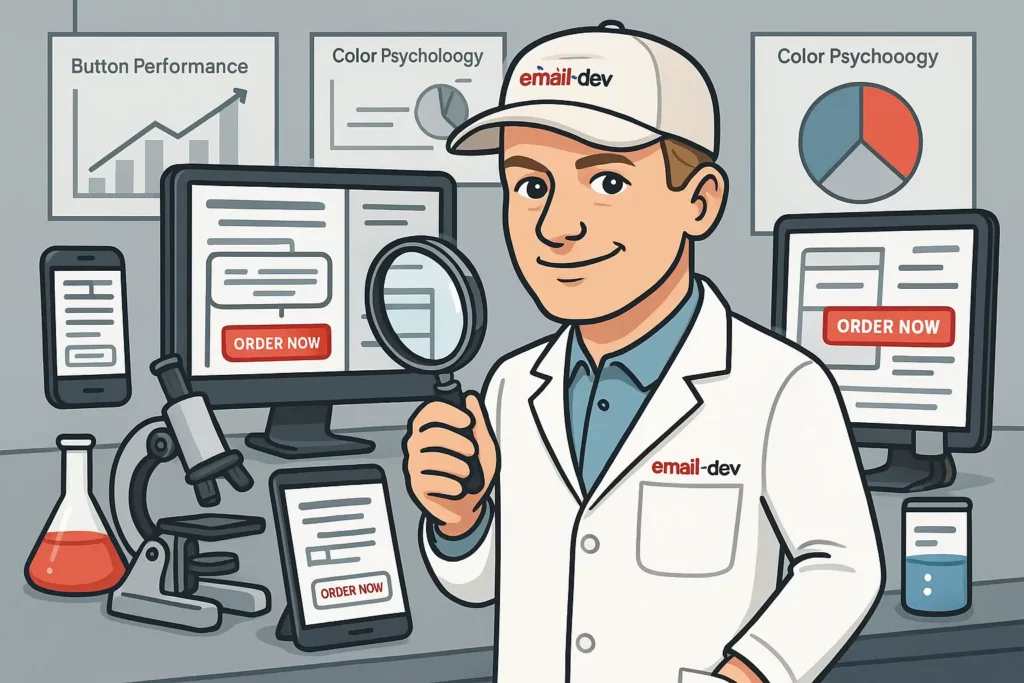
Your emails are probably broken in ways you don’t know about. Outlook turns call-to-action buttons white on white backgrounds. Apple Mail makes your carefully chosen fonts disappear. Gmail strips out half your CSS and caches images in ways that break dynamic content.
The people experiencing these problems don’t email you to complain. They just assume your business is unprofessional and ignore your emails forever.
Here’s what happened when I tested one client’s “perfect” email template:
Gmail on desktop: Looked fine, mostly. Outlook 365: Main headline turned into tiny gray text, buy button became invisible. Apple Mail on iPhone: Text overlapping, images stretching into weird shapes. Yahoo Mail: Background colors didn’t load, making white text disappear entirely. Samsung Mail: Layout completely broken, everything stacked in wrong order.
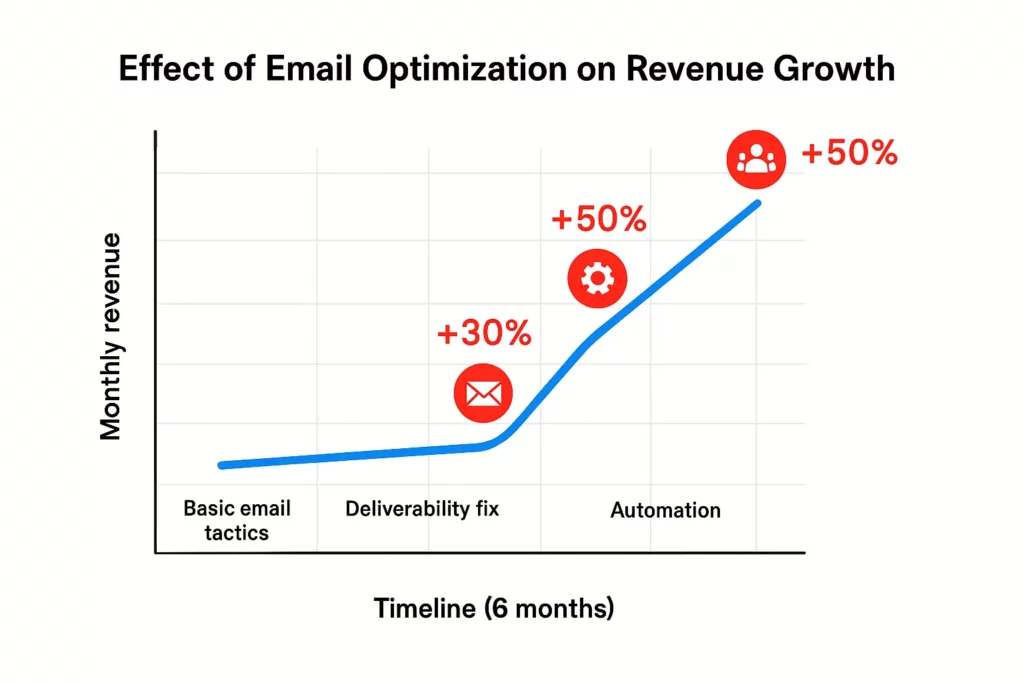
Same email. Five completely different experiences. The client had been sending this template for six months, wondering why their conversion rates were inconsistent across different subscriber segments. Turns out it wasn’t segments – it was email clients.
Your testing reality check:
Forward your next email to five different email addresses: Gmail, Outlook, Apple Mail, Yahoo, and one mobile-only account. Open them on both desktop and mobile. Take screenshots. Line them up side by side.
The differences will probably make you want to throw your laptop out the window, but at least you’ll know what your subscribers are actually seeing instead of living in the fantasy land of ESP preview tools.
Fix the broken stuff before you worry about optimization. A mediocre email that displays correctly everywhere will outperform a brilliant email that looks like garbage in major email clients.
Step 2: Build your plan around problems people actually have
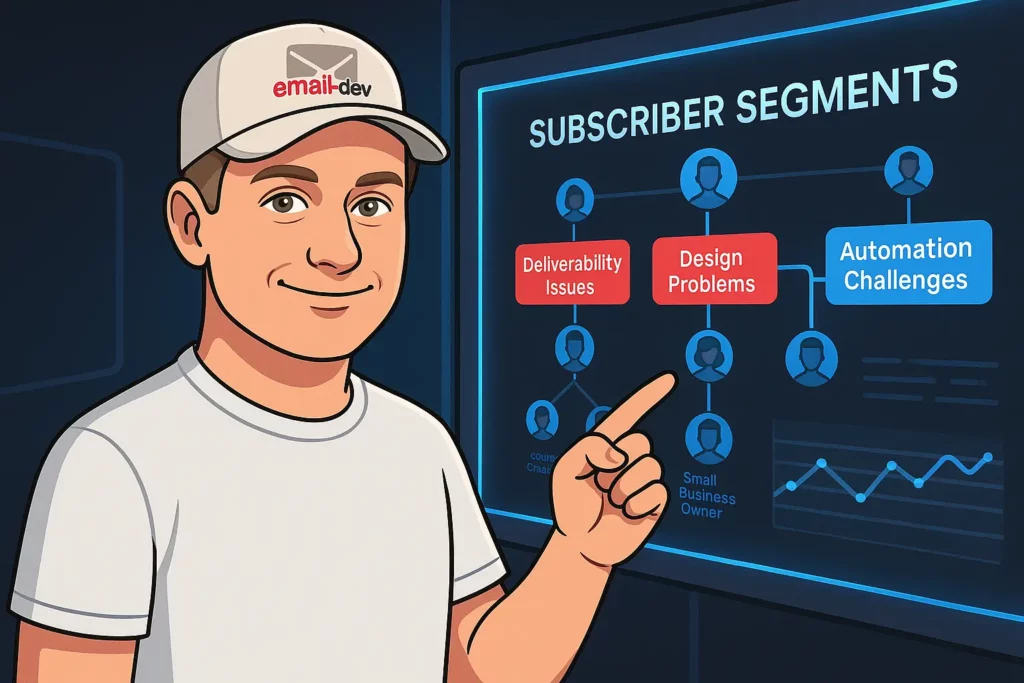
Most email marketing plans segment people by demographics or basic behavior – age, location, purchase history, email engagement. That’s like organizing your medicine cabinet by bottle color instead of what the medicine treats.
Your subscribers don’t care about your demographic categories. They care about the problems they’re trying to solve right now, and the urgency of those problems determines everything about how they’ll respond to your emails.
Someone whose email campaigns are currently broken and costing them sales will behave completely differently than someone who’s just generally interested in improving their email strategy someday. But most email plans treat them exactly the same.
The segmentation that actually drives results:
Look at your last twenty customer support tickets or sales calls. What problems did people mention? Those are your real segmentation criteria, not the demographic boxes you think matter.
People asking about deliverability issues need different emails than people asking about automation setup. People with urgent technical problems need immediate solutions, not strategic frameworks. People still researching options need confidence and education, not product pitches.
I worked with someone who was sending the same weekly newsletter to course creators, marketing managers, and small business owners. The content was so generically targeted that nobody felt like it was written for their specific situation.
We split the list by the problems people mentioned when they signed up. Course creators got tactical implementation advice and launch strategies. Marketing managers got compliance guidance and team workflow tips. Small business owners got simple solutions and clear next steps.
Same person writing the content, same weekly schedule, but now each group felt like the emails were written specifically for them. Engagement rates doubled, but more importantly, consultation booking rates went up 240%.
Your problem-based segmentation:
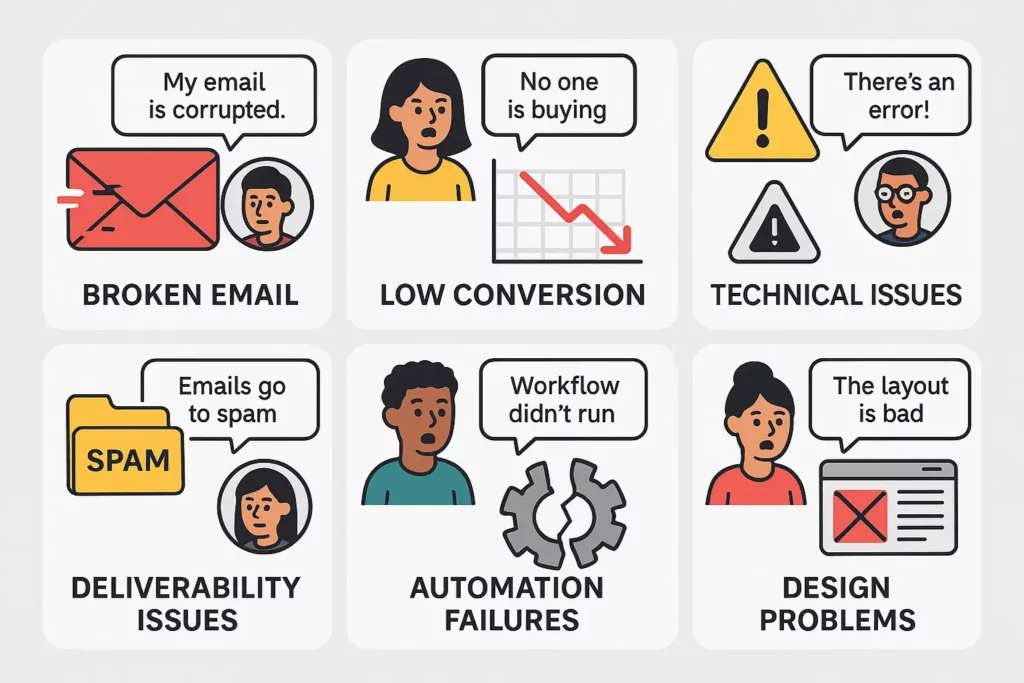
Track the specific pain points people mention when they subscribe – not just which lead magnet they downloaded, but what language they use to describe their problems.
Monitor behavior that indicates problem severity. Someone who downloads three different resources about email deliverability probably has urgent deliverability issues right now.
Set up different email tracks for different problem states, so people get content that matches where they actually are, not where your ideal customer journey says they should be.
Step 3: Plan content around where people actually are (not where you want them)
Your email content probably assumes people are more ready to buy than they actually are. Most email sequences push people through an artificial timeline that makes sense from a business perspective but ignores how humans actually make decisions.
The classic welcome series assumes everyone who subscribes is equally engaged and ready to move through your funnel at the same predictable pace. But real subscribers are chaotic. They sign up during different emotional states, with different levels of urgency, facing different constraints, and needing different amounts of nurturing before they’re ready to take action.
The content planning reality:
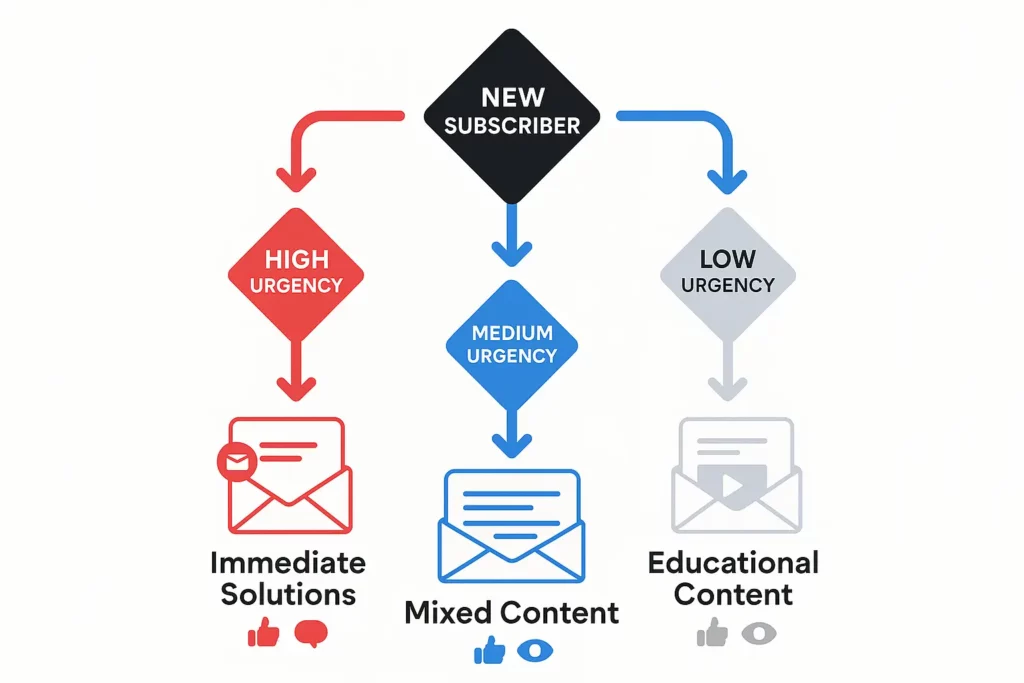
Some people subscribe because they have an urgent problem they need to solve immediately. These people are ready for tactical solutions and specific next steps right away.
Other people subscribe because they’re generally interested in your topic but don’t have immediate urgency. These people need more education and relationship-building before any sales messages make sense.
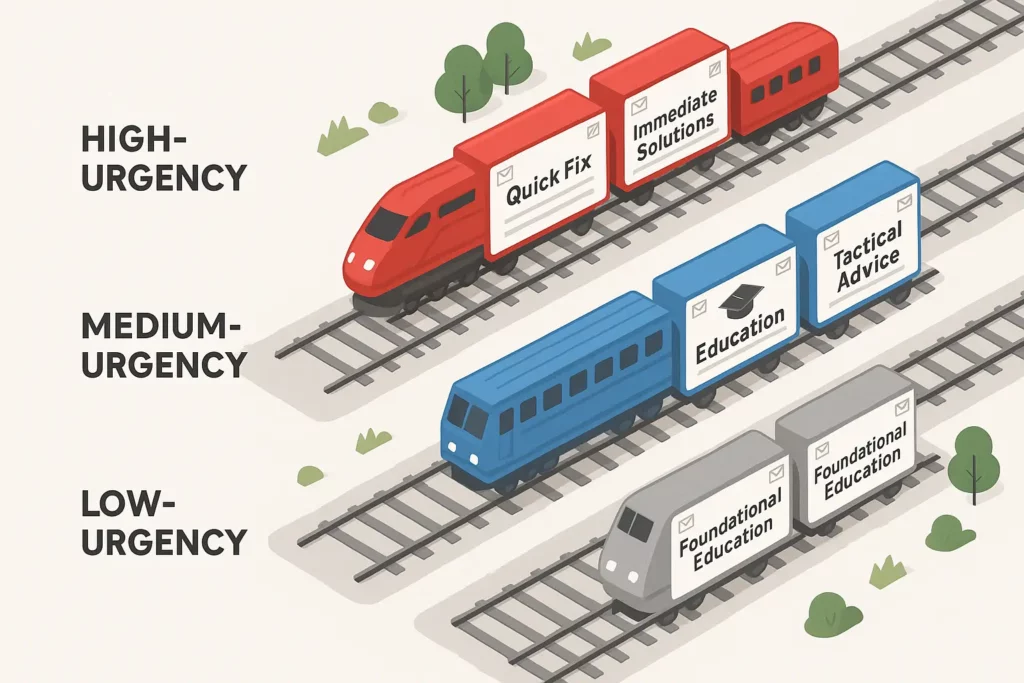
Most people fall somewhere in between – they’re interested and might have some urgency, but they need to understand how your solution fits their specific situation before they’re ready to move forward.
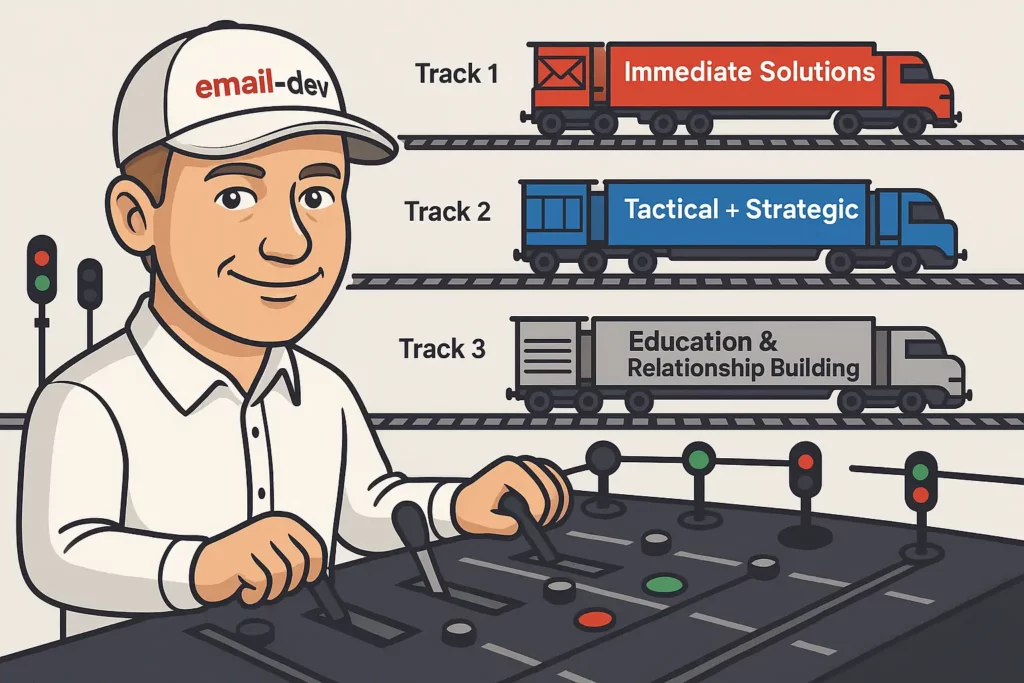
Your content plan needs different tracks for different readiness levels instead of assuming everyone should get the same sequence.
Content track examples:
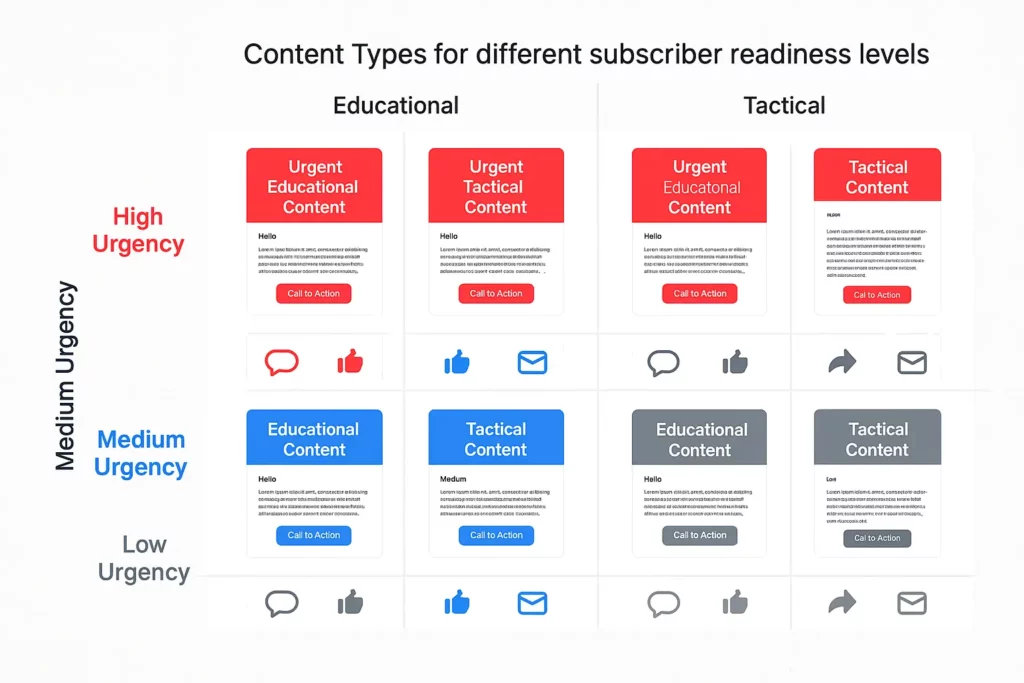
High-urgency subscribers: Immediate solutions, quick wins, clear next steps. Skip the relationship-building and get straight to helping them solve their current problem.
Medium-urgency subscribers: Mix of tactical advice and strategic context. Help them understand their situation better while providing actionable steps they can take.
Low-urgency subscribers: Education-focused content that builds understanding and demonstrates expertise. Establish the relationship before introducing solutions.
The implementation challenge:
You’ll need to identify urgency signals and route people accordingly. This might be based on the language they use when signing up, the resources they download, how quickly they engage with your initial emails, or the specific problems they indicate they’re facing.
Most ESPs can handle basic conditional logic, but you might need more sophisticated tools if you want to get really precise about routing people based on engagement patterns and behavioral signals.
Step 4: Set up automation that responds to what people actually do
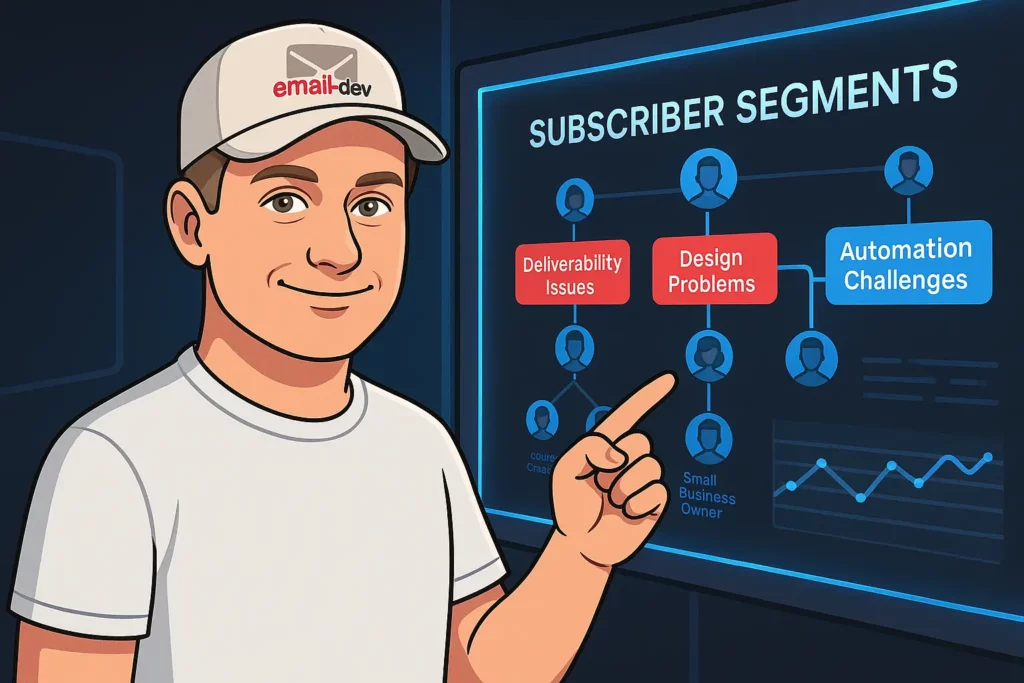
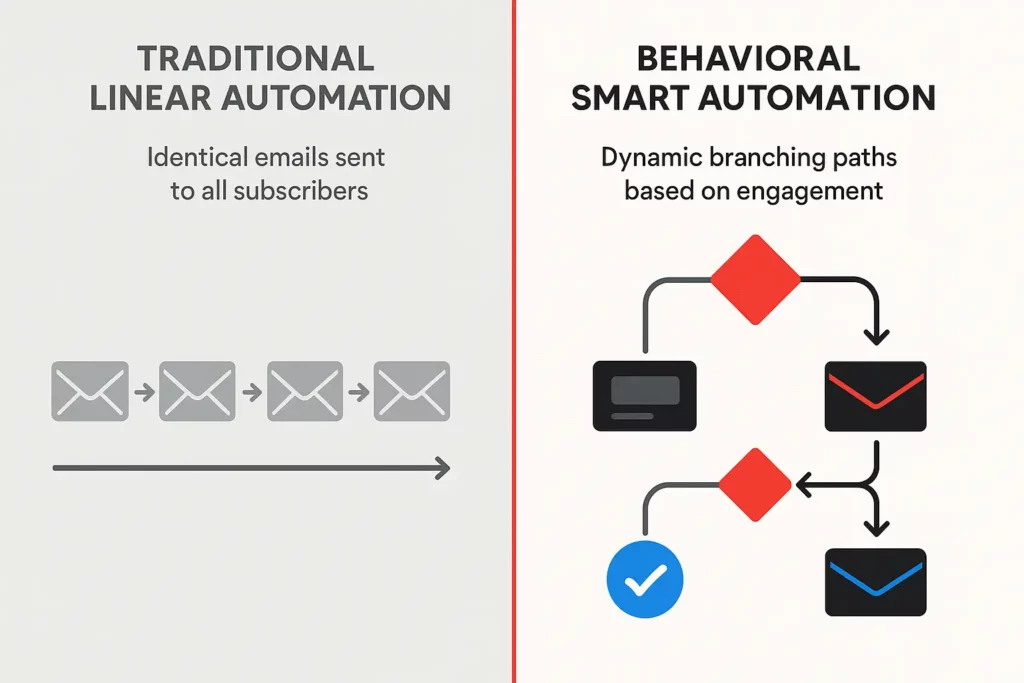
Standard email automation assumes people will behave predictably and move through your funnel in a logical sequence. Real people are messy and inconsistent, and your automation needs to account for that chaos instead of trying to force everyone into the same predetermined path.
The typical welcome series sends the same emails to everyone at the same intervals regardless of how they’re engaging. Email one: welcome and set expectations. Email three: share a case study. Email five: soft pitch. Email seven: harder pitch.
But what if someone never opens email one? They still get emails three, five, and seven, which make no sense without the context from previous emails. What if someone immediately clicks through and reads everything you send them? They might be ready for a sales conversation after email two, but your sequence makes them wait until email seven.
Automation that adapts to actual behavior:
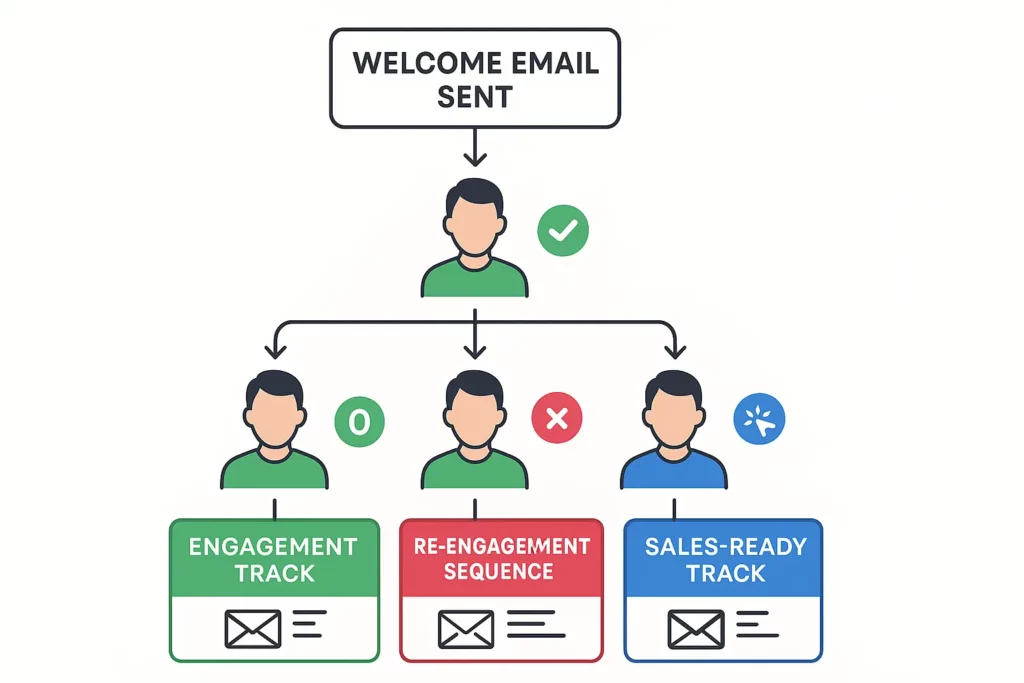
If someone opens your first email but doesn’t click anything, they might need more compelling reasons to engage or different content that better matches their interests.
If someone clicks through and consumes your content immediately, they’re showing high engagement and might be ready for next steps sooner than your default timeline assumes.
If someone doesn’t engage with your first few emails at all, continuing to send them the same sequence is just teaching them to ignore your emails. Pause the sequence until they show signs of life.
Conditional automation examples:
High engagement path: Someone opens and clicks your first two emails gets moved to a faster sequence with more direct sales content.
Medium engagement path: Someone opens emails but doesn’t click much gets more educational content designed to build interest before any sales messages.
Low engagement path: Someone doesn’t open emails gets moved to a re-engagement sequence with different subject lines and send times before being paused entirely.
The technical reality:
Most basic ESPs can handle simple conditional logic like “if opened, send this; if not opened, send that.” More sophisticated behavior-based automation requires better tools and more complex setup.
You’ll need to define what constitutes high, medium, and low engagement for your specific business and audience, then build automation rules that respond appropriately to each level.
Step 5: Design emails that survive email clients trying to destroy them
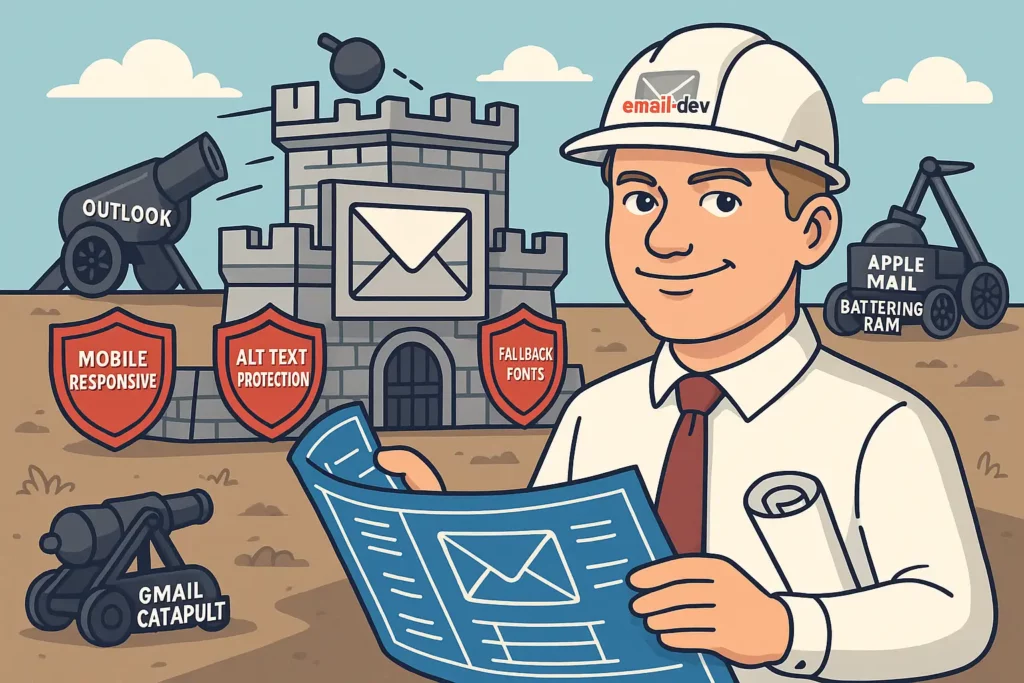
Email clients are actively hostile to your designs. They strip out CSS, ignore your fonts, cache images unpredictably, and render your carefully crafted layouts in ways that would make a web designer cry. Your email marketing plan needs to account for this chaos, not pretend it doesn’t exist.
Most design processes start with creating something beautiful in a modern email client preview, then hoping it works everywhere else. That’s backwards. Start with the most restrictive clients and build your design to work there first, then enhance it for clients that support more features.
Outlook is your baseline because it’s the worst. It uses Microsoft Word’s rendering engine to display emails, which means it handles HTML and CSS about as well as Word handles web design – which is to say, terribly. But if your email works in Outlook, it will probably work everywhere else.
Design constraints that actually matter:
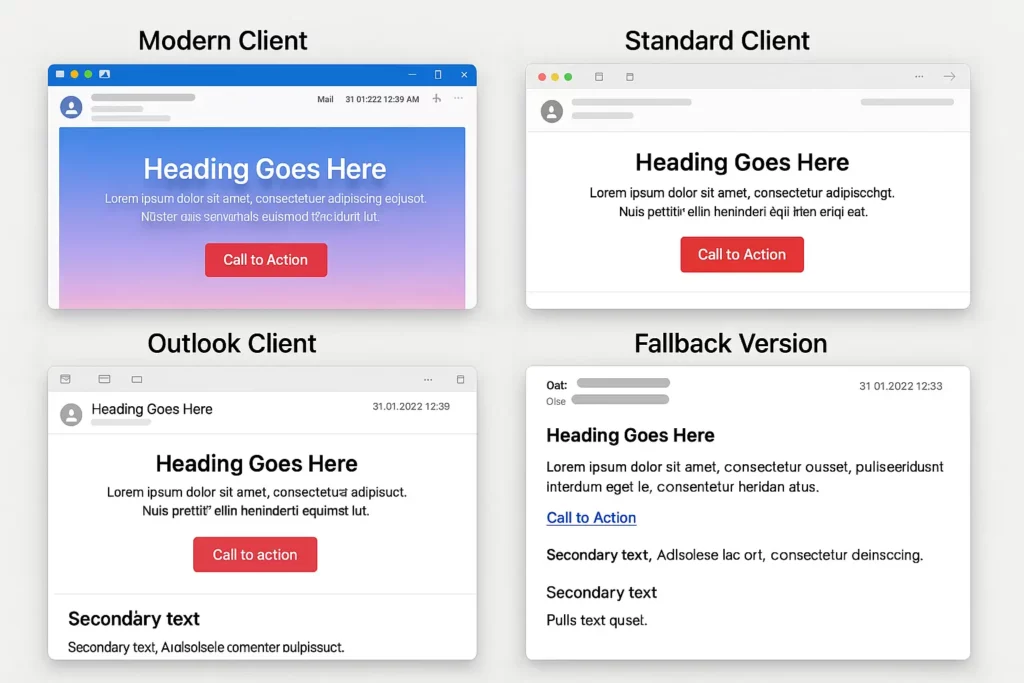
Single-column layouts work everywhere. Multi-column layouts break unpredictably in various clients.
System fonts display consistently. Web fonts disappear in many clients, leaving you with default serif fonts that might not match your brand.
Solid colors and simple gradients work mostly. Complex gradients and background images break in predictable ways across different clients.
Alt text for images is essential because many clients don’t load images by default, and some strip out background images entirely.
The progressive enhancement approach:
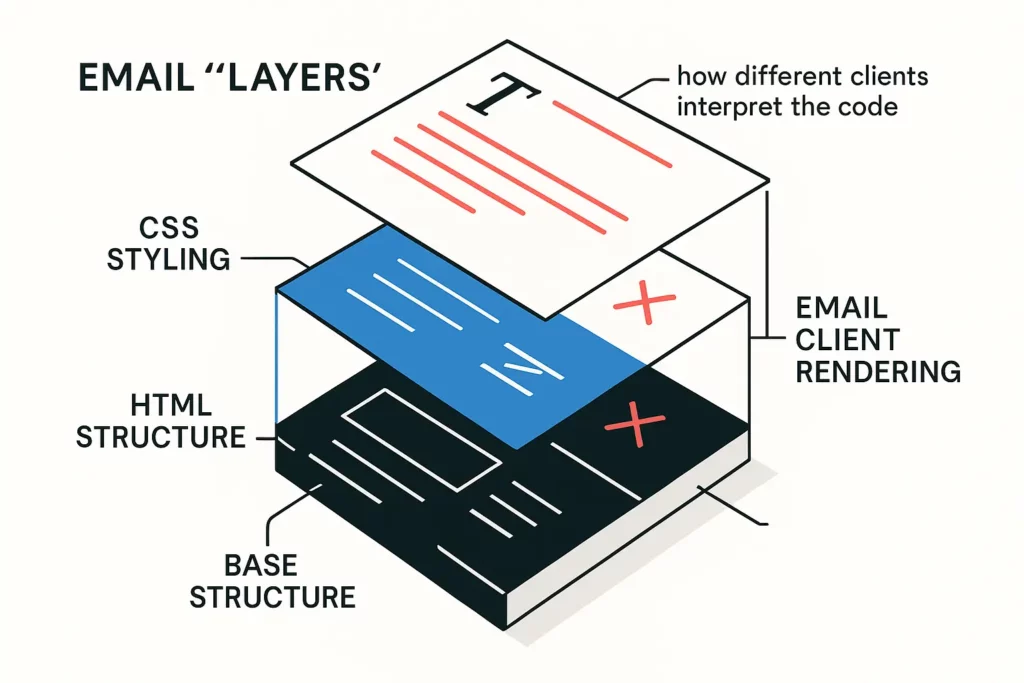
Design for the worst-case scenario first. Create a layout that works when images don’t load, custom fonts don’t display, and complex CSS gets stripped out.
Add enhancements that gracefully degrade. If your enhanced version fails, the basic version should still be functional and professional-looking.
Test throughout the design process, not just at the end. Send test versions at each stage of development to catch problems before they’re expensive to fix.
Your testing workflow:
Create template variations and test them across the most important client combinations for your audience. You don’t need to test every possible combination, but you need to cover the major ones.
Use tools like Litmus or Email on Acid for quick previews, but remember that actual testing on real devices is more reliable than preview tools.
Build a standard testing checklist that covers the most critical elements: text readability, button functionality, image loading, layout integrity, and mobile responsiveness.
Step 6: Track metrics that predict money instead of measuring vanity
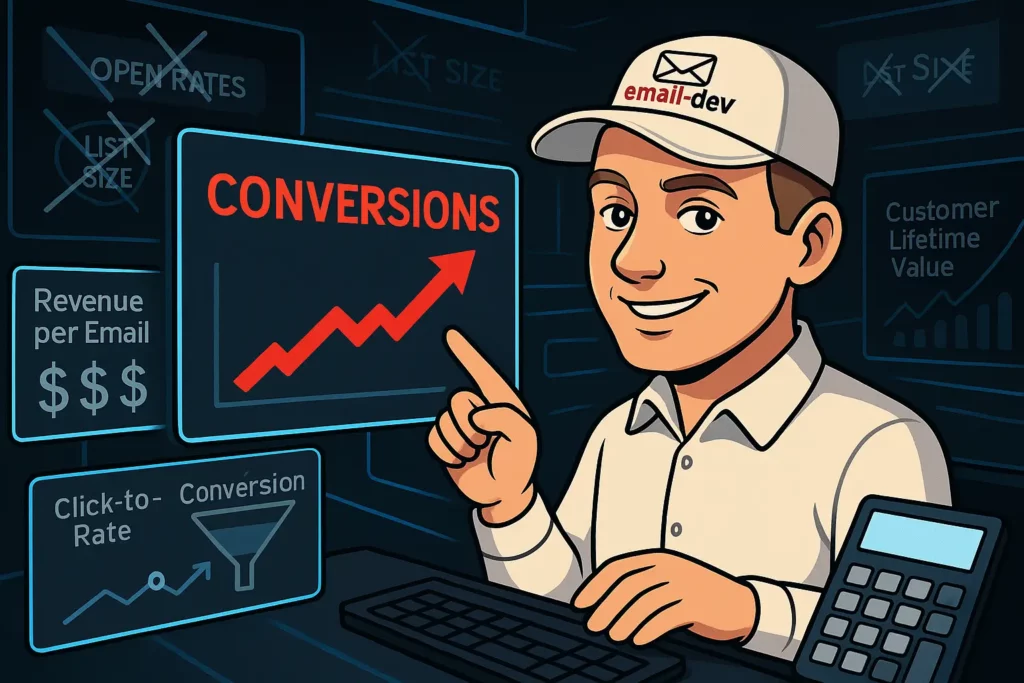
Open rates and click rates make you feel good but don’t tell you much about business impact, especially now that Apple’s privacy changes have made open rates unreliable anyway. The metrics that actually matter are the ones that predict whether someone is moving closer to becoming a customer.
Most email analytics focus on engagement metrics that measure activity but not outcomes. High engagement that doesn’t lead to business results is just expensive entertainment for your subscribers.
The metrics that actually predict revenue:
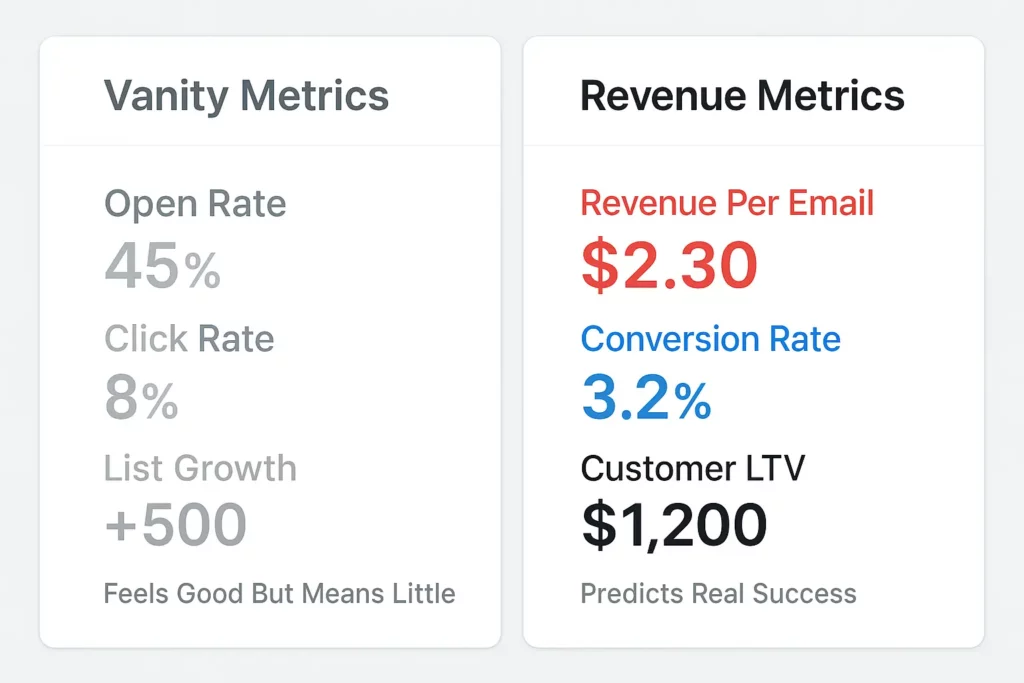
Revenue per email sent: Take your total email-generated revenue for a time period and divide by total emails sent. This accounts for both engagement and conversion, giving you a clear picture of your email program’s business impact.
Click-to-conversion rate: What percentage of people who click your emails actually take the next step you want them to take? This tells you whether you’re attracting qualified prospects or just curious browsers.
Time from signup to first purchase: How long does your nurturing process typically take? If it’s six months on average, you might need stronger early-stage conversion tactics or better lead qualification.
Customer lifetime value by email source: Which email campaigns and content types attract customers who spend more and stay longer? This helps you prioritize content creation and promotional efforts.
The implementation challenge:
You’ll need to connect your email platform to your analytics tools and CRM to track these deeper metrics. Most ESPs only show you engagement data, not business outcomes.
Set up UTM parameters on all email links so you can track the complete customer journey from email click to purchase in your analytics platform.
Create custom conversion goals that align with your business objectives, not just email engagement objectives.
What to stop measuring:
Open rates are unreliable and don’t predict business outcomes anyway. Use them for internal benchmarking if you want, but don’t optimize for them.
Total list size growth doesn’t matter if the new subscribers aren’t engaged or qualified. Focus on quality over quantity.
Generic click rates without context don’t tell you much. A 2% click rate on a sales email might be better than a 8% click rate on a general newsletter if the sales email clicks convert at higher rates.
Step 7: Build systems that don’t burn out your audience
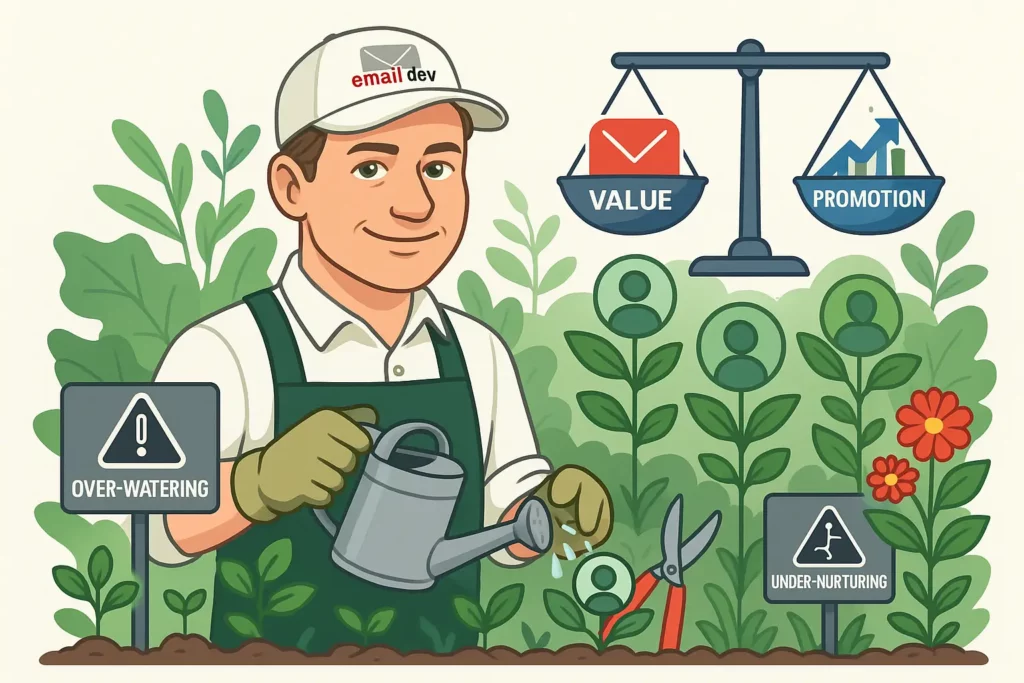
Most email strategies focus on maximizing immediate engagement – getting people to open this email, click this link, take this action right now. But aggressive short-term tactics often damage long-term subscriber relationships and list health.
Sustainable email marketing builds trust and provides consistent value over time rather than extracting maximum engagement from every send. People who trust your emails and find them consistently useful will engage more over the long term and be more likely to buy when they’re actually ready.
The long-term approach:
Email frequency should match your content quality and subscriber expectations, not your desire to stay top-of-mind. If you can produce genuinely valuable content daily, daily emails might work. If you’re sending filler just to maintain frequency, you’re training people to ignore your emails.
Promotional balance matters more than most people realize. Too much sales content and people tune out. Too little and people forget you sell anything. The exact ratio depends on your audience and business model, but the general principle is to provide value before asking for anything.
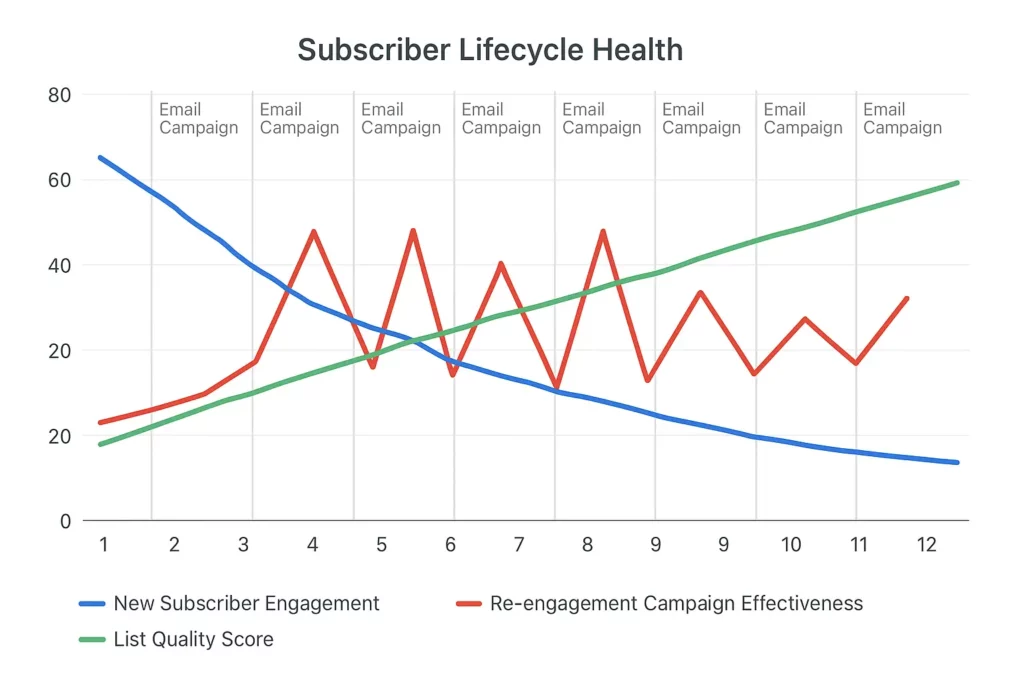
List cleaning is essential for long-term health but most people avoid it because they don’t want to shrink their list numbers. People who haven’t engaged with your emails in months are hurting your deliverability and skewing your metrics. Set up re-engagement campaigns to win them back or remove them from your active list.
Monitoring subscriber health:
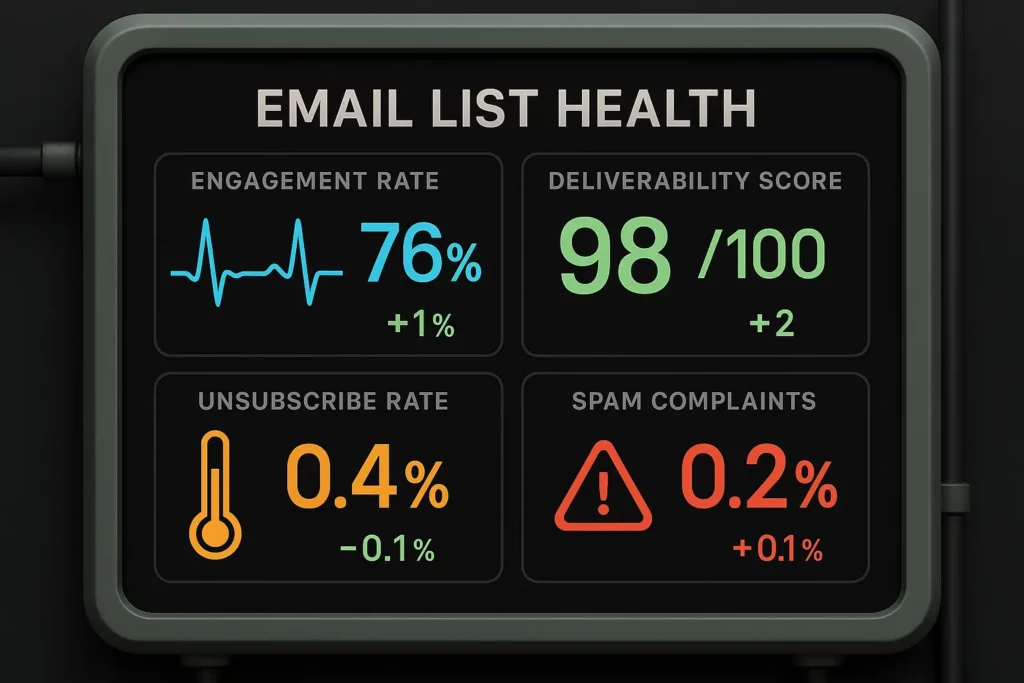
Engagement trend analysis shows whether your list is getting healthier or sicker over time. Are new subscribers engaging at similar rates to your overall list average? Are long-term subscribers maintaining their engagement or gradually dropping off?
Unsubscribe rate patterns reveal whether you’re pushing too hard or not providing enough value. Spikes in unsubscribes after specific types of emails tell you what content isn’t resonating with your audience.
Spam complaint rates directly impact your deliverability. Even small increases in spam complaints can hurt your sender reputation and reduce inbox placement across your entire list.
Your retention strategy:
Survey your most engaged subscribers to understand what they value most about your emails, then double down on content that resonates with your best audience members.
Create preference centers that let subscribers choose their email frequency and content types rather than forcing them to choose between everything or nothing.
Develop win-back campaigns for subscribers showing declining engagement before they completely check out, but don’t be afraid to let disengaged subscribers go if they don’t respond to re-engagement attempts.
The reality about email marketing plans that work
Most email marketing advice makes this stuff sound simple – just write good subject lines, segment your list, send valuable content, and track your results. But implementing a plan that actually works requires dealing with technical constraints, human psychology, and the constant tension between providing value and driving business results.
Your email marketing plan isn’t just a content calendar and some automation sequences. It’s a system that needs to work reliably regardless of changing email client behavior, privacy regulations, subscriber expectations, and competitive pressure.
The businesses that succeed with email over the long term build plans that respect both the technical reality of how emails get delivered and the human reality of how people make decisions. They create systems that provide genuine value, adapt to subscriber behavior, and optimize for sustainable growth rather than short-term engagement spikes.
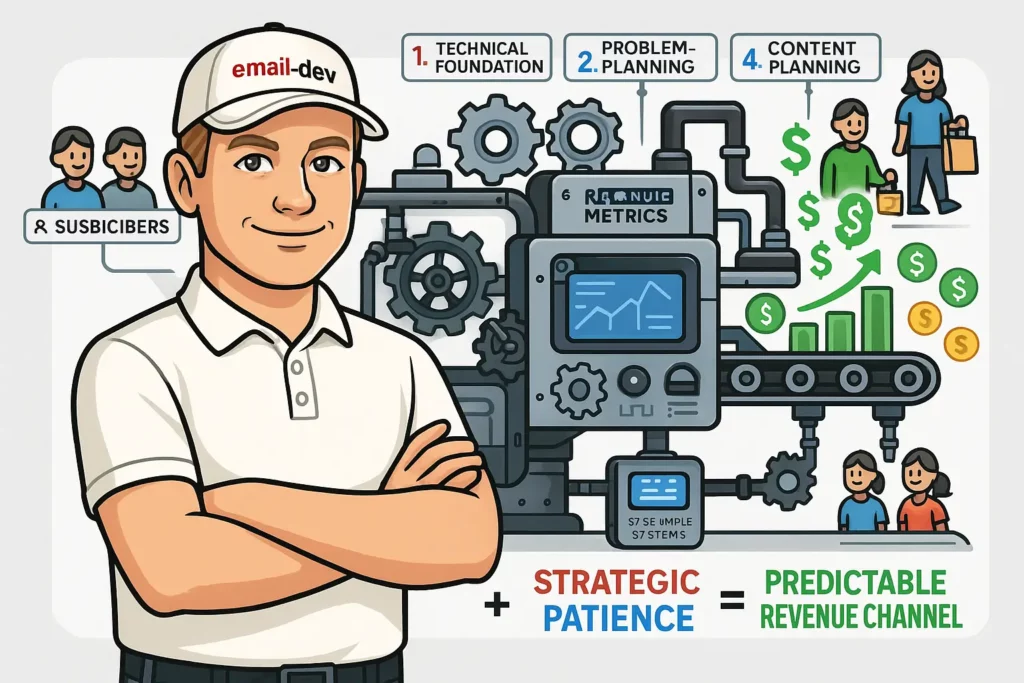
Building an email marketing plan that makes money requires more technical knowledge and strategic patience than most people want to invest, but it’s the difference between email being a constant source of stress and email being a predictable revenue channel that works while you focus on other parts of your business.