Email marketing remains one of the most powerful digital channels, delivering an average ROI of $40 for every dollar spent according to multiple industry studies. However, behind these impressive numbers lies a harsh reality: countless email campaigns fail to achieve their full potential due to poor design and technical execution. The difference between success and failure often comes down to one critical factor: creating visually appealing email templates that not only look stunning but actually work across all email clients.
Whether you’re a marketing professional struggling with broken layouts in Outlook, a business owner tired of emails that look amateur, or an agency seeking reliable email solutions, this comprehensive guide reveals the exact strategies used by top email developers to create templates that convert consistently.
- Why Visual Appeal Makes or Breaks Your Email Success
- The Hidden Technical Challenges Destroying Your Email Performance
- Secret #1: Master the Foundation – HTML Table Structure
- Secret #2: Implement Bulletproof Button Design
- Secret #3: Conquer Dark Mode Without Breaking Your Brand
- Secret #4: Perfect Mobile Responsiveness Through Progressive Enhancement
- Secret #5: Typography That Remains Readable Everywhere
- Secret #6: Advanced Testing and Quality Assurance
- Secret #8: Conversion-Focused Design Psychology
- Email Template Design Best Practices for Maximum Impact
- Common Mistakes That Sabotage Email Template Performance
- Advanced Techniques for Email Template Mastery
- Building Your Email Template Design Workflow
- The Future of Email Template Design
- Your Path to Email Template Excellence
Why Visual Appeal Makes or Breaks Your Email Success

The statistics speak volumes about the importance of email design. Industry research consistently shows that poorly formatted emails face immediate deletion by over 70% of recipients within three seconds. More critically, studies reveal that personalized and well-designed visually appealing email templates can generate up to 6 times higher transaction rates compared to generic alternatives.
But here’s what most marketers miss: visual appeal in email isn’t just about pretty colors and fancy graphics. It’s about creating a seamless experience that guides readers toward your desired action while working flawlessly across 40+ email clients, each with their own quirks and limitations.
Consider this scenario: You’ve crafted the perfect promotional campaign, your copy is compelling, and your offer is irresistible. Yet, when your email lands in Gmail on mobile, the layout breaks, buttons disappear, and text becomes unreadable. Within seconds, your potential customer deletes the email, and your conversion opportunity vanishes forever.
This is precisely why understanding how to design visually appealing email templates that maintain visual integrity across all platforms has become a non-negotiable skill for modern marketers.
The Hidden Technical Challenges Destroying Your Email Performance

Before diving into solutions, let’s address the elephant in the room: email client compatibility. Unlike web browsers that have largely standardized HTML and CSS support, email clients operate in a fragmented ecosystem where each platform interprets code differently.
Outlook’s Rendering Engine Nightmare: Microsoft Outlook uses Word’s rendering engine, which means it doesn’t support many modern CSS properties. Background images often disappear, margins collapse unpredictably, and advanced styling breaks completely.
Gmail’s Aggressive Filtering: Gmail strips out <style> tags in certain scenarios and has inconsistent support for CSS properties. What looks perfect in your email builder might render completely differently in the actual Gmail interface.
Dark Mode Complications: With 81% of Android users now using dark mode according to recent surveys, emails that haven’t been optimized for dark themes often display inverted colors, making text unreadable and destroying brand consistency.
Mobile Responsiveness Crisis: Despite mobile devices accounting for 41-46% of all email opens, many templates still fail to adapt properly to smaller screens, resulting in tiny text, broken layouts, and frustrated users.
These technical challenges explain why so many businesses struggle with email marketing effectiveness, despite following traditional design advice.
Secret #1: Master the Foundation – HTML Table Structure
The first secret to creating professional email template design lies in understanding that email HTML operates by different rules than web HTML. While modern web development has moved toward CSS Grid and Flexbox, email templates still require the rock-solid foundation of HTML tables.
Why Tables Remain King in Email: Tables provide consistent rendering across all email clients because they’ve been supported since the early days of HTML. When Outlook fails to interpret modern CSS, tables continue working reliably.
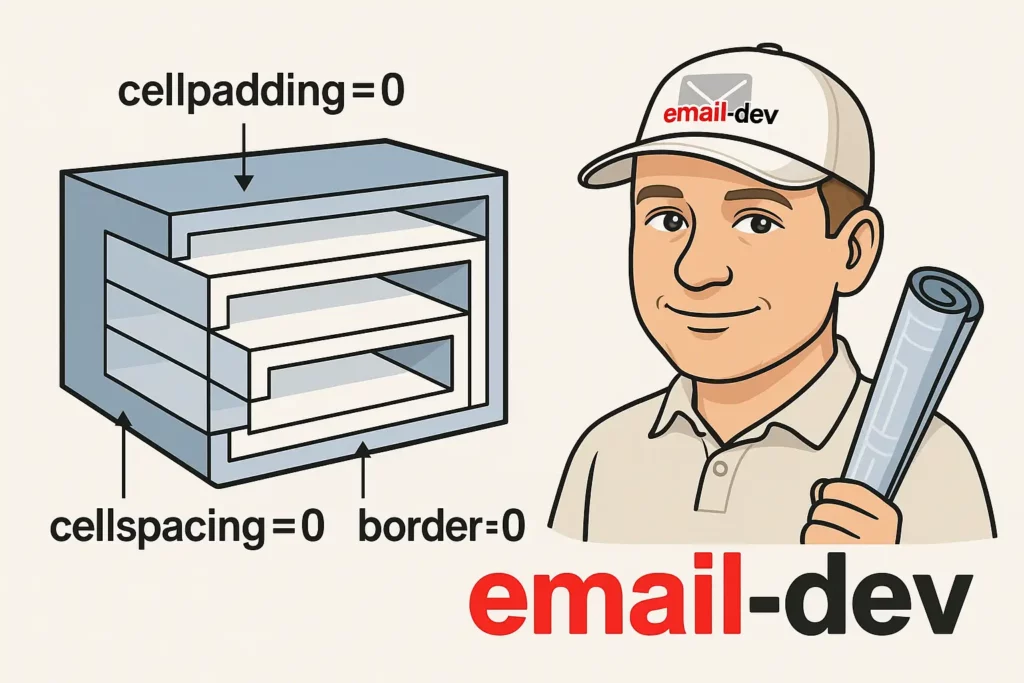
The Nested Table Strategy: Professional email developers use nested tables to create complex layouts that remain stable. The outer table serves as the container, while inner tables house individual content sections. This approach ensures that even if one section breaks, others remain intact.
Critical Table Attributes: Always include cellpadding=”0″, cellspacing=”0″, and border=”0″ in your table tags. These attributes prevent unwanted spacing that can destroy your design’s precision across different email clients.
Here’s the fundamental structure that forms the backbone of any robust email template:
<table width="600" cellpadding="0" cellspacing="0" border="0" style="margin: 0 auto;">
  <tr>
    <td>
      <!-- Your content sections go here -->
    </td>
  </tr>
</table>
Width Optimization: The 600-pixel width has become the industry standard because it displays well on both desktop and mobile devices. Wider templates risk horizontal scrolling on smaller screens, while narrower templates waste valuable real estate on desktop.
Secret #2: Implement Bulletproof Button Design

Nothing frustrates email recipients more than broken or invisible call-to-action buttons. Yet, many email templates use CSS-dependent buttons that fail in various email clients according to email testing research.
The VML Fallback Method: For Outlook compatibility, professional developers use Vector Markup Language (VML) to create buttons that render consistently. This technique ensures your buttons appear correctly even when CSS fails.
Padding-Based Buttons: Instead of relying on width and height properties, use generous padding to create clickable button areas. This approach works across all email clients and improves mobile usability.
Color Contrast Compliance: Ensure your buttons meet WCAG 2.1 AA standards with a contrast ratio of at least 4.5:1. This not only improves accessibility but also enhances visibility in various lighting conditions.
Progressive Enhancement Strategy: Start with a simple, functional button design that works everywhere, then layer on enhanced styling for clients that support it. This ensures no recipient sees a broken experience.
The key is creating buttons that maintain their functionality and visual appeal whether viewed in the latest Apple Mail app or the oldest version of Outlook.
Secret #3: Conquer Dark Mode Without Breaking Your Brand

Dark mode adoption continues accelerating, with Apple Mail, Gmail, and Outlook all supporting dark themes. However, many email templates display poorly in dark mode, showing inverted colors, unreadable text, or broken layouts.
Prefers-Color-Scheme Media Query: Use CSS media queries to detect dark mode and adjust your styling accordingly:
@media (prefers-color-scheme: dark) {
  .dark-mode-text { color: #ffffff !important; }
  .dark-mode-bg { background-color: #1a1a1a !important; }
}
Strategic Color Selection: Choose colors that work well in both light and dark environments. Avoid pure white text on colored backgrounds, as dark mode often inverts these combinations unpredictably.
Image Optimization for Dark Mode: Create alternative versions of logos and graphics specifically for dark mode. Use CSS to swap images based on the user’s theme preference.
Testing Across Platforms: Dark mode rendering varies significantly between email clients. What looks perfect in Apple Mail might appear broken in Gmail’s dark theme.
Secret #4: Perfect Mobile Responsiveness Through Progressive Enhancement
With mobile email opens dominating the landscape, responsive design isn’t optional—it’s essential. However, creating truly responsive visually appealing email templates requires understanding the limitations of email CSS support.
Media Query Strategy: Use media queries to adjust layouts for different screen sizes, but always provide fallbacks for clients that don’t support them:
@media only screen and (max-width: 600px) {
  .mobile-stack {
    display: block !important;
    width: 100% !important;
  }
}
Fluid Width Approach: Instead of fixed pixel widths, use percentage-based widths that adapt to different screen sizes while maintaining proportional relationships.
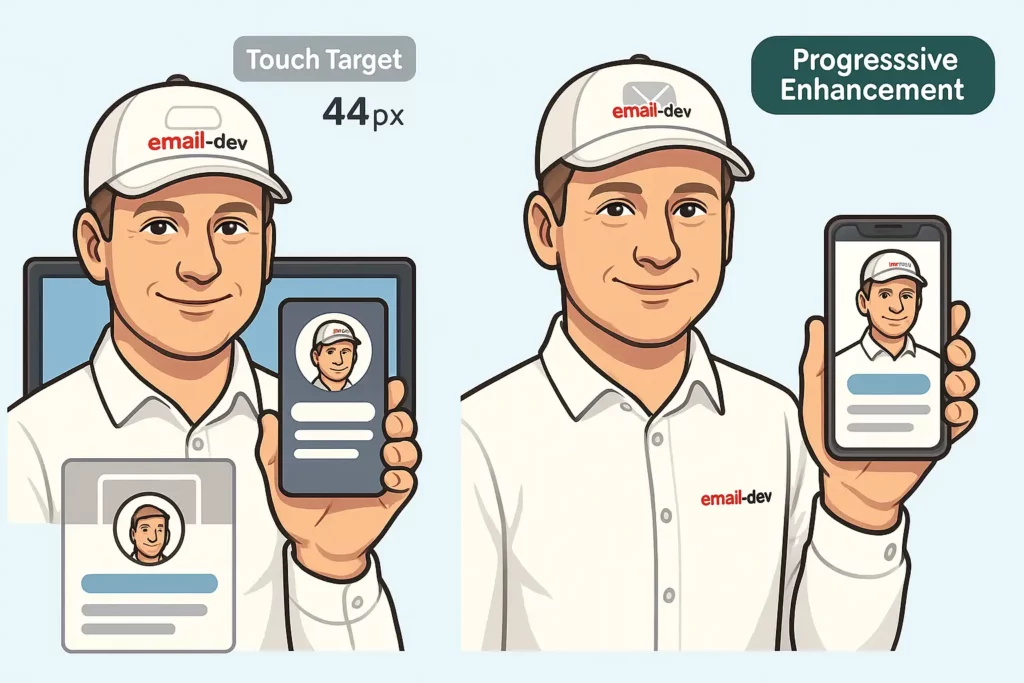
Touch-Friendly Design: Ensure all interactive elements meet the 44-pixel minimum touch target recommended by Apple’s Human Interface Guidelines and WCAG AAA standards. Smaller targets lead to accidental taps and user frustration.
Content Hierarchy on Mobile: Restructure content for mobile consumption by prioritizing the most important information at the top and using shorter paragraphs for easier scanning.
Secret #5: Typography That Remains Readable Everywhere

Typography challenges in email go far beyond choosing attractive fonts. Email clients have inconsistent font support, leading to broken layouts when custom fonts fail to load.
Web-Safe Font Stack: Always specify a comprehensive font stack that includes web-safe alternatives:
font-family: ‘Helvetica Neue’, Helvetica, Arial, sans-serif;
Font Size Optimization: Use minimum 14px font size for body text to ensure readability across all devices. Smaller text becomes illegible on mobile devices and creates accessibility issues.
Line Height Considerations: Set line-height to 1.4-1.6 for optimal readability. This spacing improves text scanability and reduces eye strain.
Custom Font Fallbacks: When using custom fonts, implement robust fallback strategies that maintain your design’s integrity even when the primary font fails to load.
Secret #6: Advanced Testing and Quality Assurance

Professional email developers understand that testing isn’t optional—it’s the difference between successful campaigns and embarrassing failures. 88% of email marketing problems could be prevented through proper testing procedures.
Multi-Client Testing Strategy: Test your templates across major email clients including Gmail (web, iOS, Android), Outlook (2016, 2019, 365), Apple Mail, and Yahoo Mail. Each client renders emails differently.
Device-Specific Testing: Don’t rely solely on desktop testing. Mobile rendering often reveals issues invisible on desktop, particularly with touch interactions and responsive behavior.
Litmus and Email on Acid: Professional testing tools provide comprehensive previews across dozens of email clients and devices. While these tools require investment, they prevent costly mistakes and protect your brand reputation.
Accessibility Testing: Use screen readers and accessibility tools to ensure your emails work for users with disabilities. This isn’t just ethical—it’s increasingly legally required.
Load Time Optimization: Test email loading speeds, especially on slower connections. Heavy images and complex layouts can cause delayed rendering or complete failures.
Secret #8: Conversion-Focused Design Psychology
Creating visually appealing templates isn’t just about aesthetics—it’s about guiding recipient behavior toward your desired outcomes. Conversion-focused design combines visual appeal with psychological principles to maximize results.
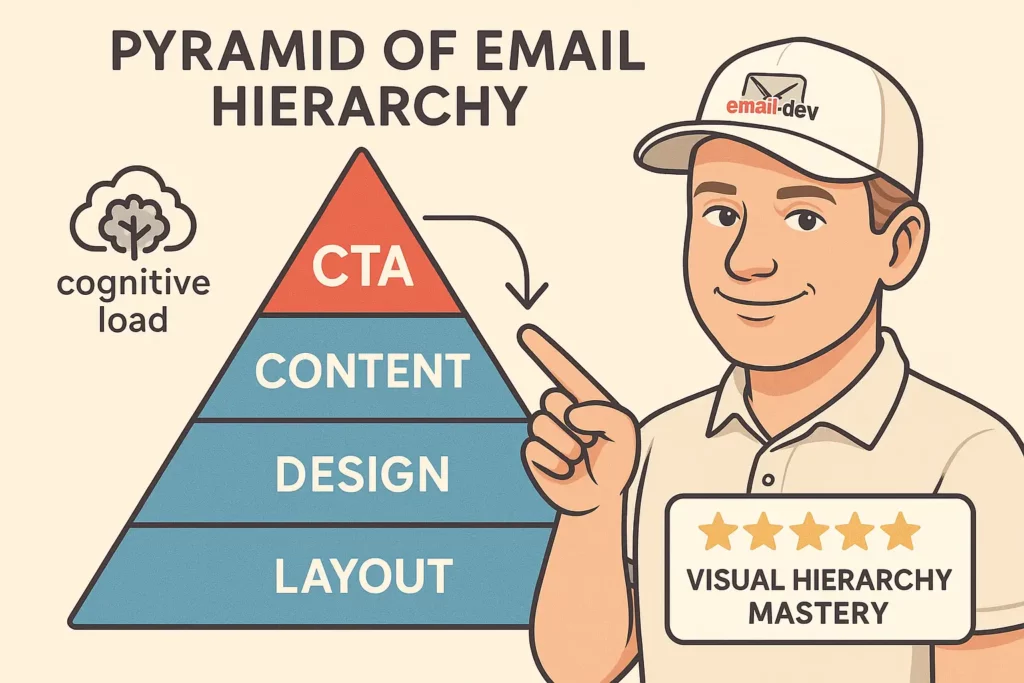
Visual Hierarchy Mastery: Use size, color, and positioning to guide the reader’s eye through your content in a logical sequence. The most important elements should dominate visually.
Cognitive Load Reduction: Simplify designs to reduce mental processing requirements. Clean, uncluttered layouts perform better than complex, busy designs.
Color Psychology Application: Leverage color psychology to evoke desired emotions and actions. Red creates urgency, blue builds trust, and green suggests growth or approval.
Social Proof Integration: Include testimonials, reviews, or user counts to build credibility and encourage action. Social proof significantly increases conversion rates when implemented effectively.
Scarcity and Urgency: Use design elements to communicate limited-time offers or limited availability. Countdown timers, progress bars, and urgency-focused copy drive immediate action.
Email Template Design Best Practices for Maximum Impact

Beyond the seven secrets, several email template design best practices ensure consistent success across all campaigns:
Brand Consistency: Maintain consistent colors, fonts, and styling across all email communications. Brand recognition increases with consistent visual presentation.
Content-to-Image Ratio: Follow the 80/20 rule—80% text content, 20% images. This ratio improves deliverability and ensures your message remains clear even when images don’t load.
Alt Text Optimization: Write descriptive alt text for all images. When images fail to load, alt text maintains context and accessibility.
Preheader Text Strategy: Craft compelling preheader text that complements your subject line and provides additional context. This secondary subject line significantly impacts open rates.
Loading Speed Optimization: Optimize all images for email delivery. Large files cause slow loading and poor user experiences, particularly on mobile devices.
Common Mistakes That Sabotage Email Template Performance
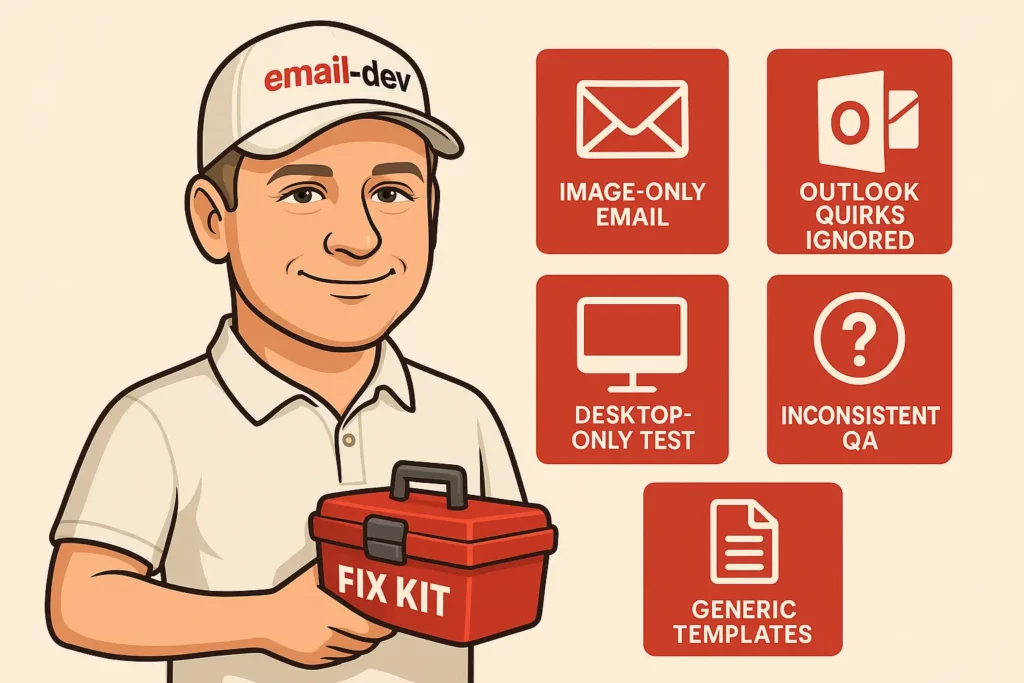
Even experienced marketers make critical errors that undermine their email success. Avoiding these mistakes immediately improves your template performance:
Over-Reliance on Images: Templates that depend heavily on images often fail when images don’t load. Always provide text alternatives and ensure your message remains clear without images.
Ignoring Outlook Limitations: Failing to account for Outlook’s rendering quirks results in broken layouts for a significant portion of your audience.
Inadequate Mobile Testing: Desktop-only testing misses critical mobile rendering issues that affect nearly half of your recipients.
Inconsistent Testing Procedures: Sporadic testing leads to inconsistent quality and occasional failures that damage sender reputation.
Generic Template Usage: Using generic templates without customization results in emails that look unprofessional and fail to reflect your brand identity.
Advanced Techniques for Email Template Mastery

Professional email developers employ advanced techniques that separate exceptional templates from mediocre ones:
Progressive Enhancement: Layer advanced features on top of basic functionality, ensuring universal compatibility while providing enhanced experiences for capable clients.
Conditional Comments: Use Microsoft-specific conditional comments to provide Outlook-specific styling without affecting other email clients.
CSS Inlining Strategy: Inline critical CSS for maximum compatibility while using embedded styles for progressive enhancements.
Image Optimization Workflow: Implement systematic image optimization including compression, alt text, and fallback strategies.
Performance Monitoring: Track template performance metrics including load times, rendering success rates, and conversion outcomes.
Building Your Email Template Design Workflow
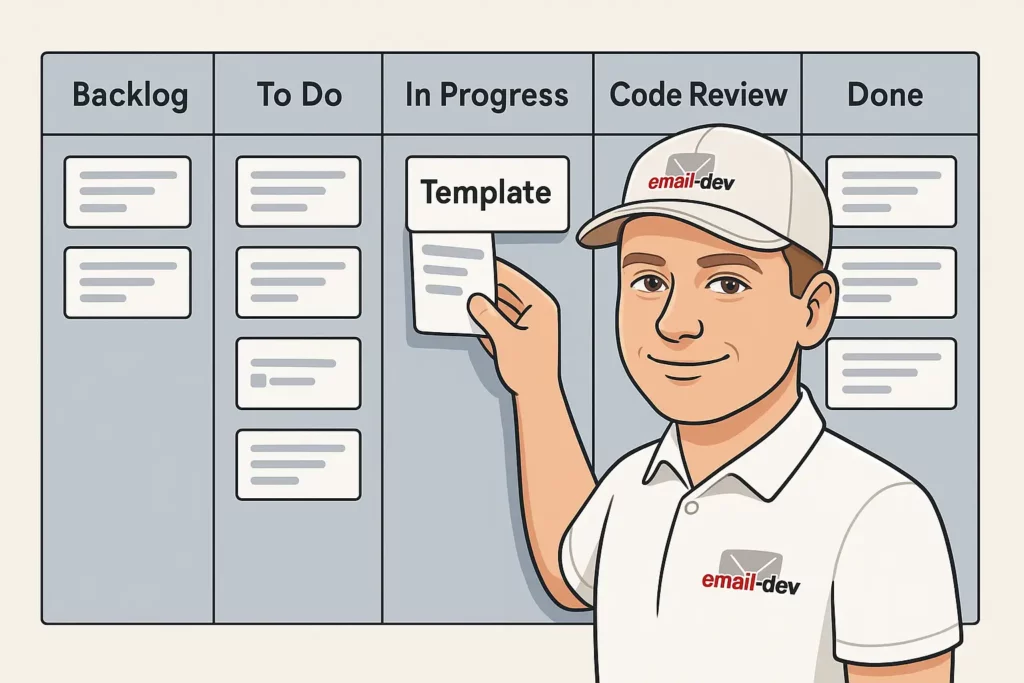
Creating consistently successful visually appealing email templates requires a systematic approach:
Planning Phase: Define objectives, target audience, and success metrics before beginning design work.
Design Systems: Develop reusable components and style guides that ensure consistency across all templates.
Development Standards: Establish coding standards that prioritize compatibility and maintainability.
Testing Protocols: Implement comprehensive testing procedures that catch issues before deployment.
Performance Analysis: Monitor template performance and iterate based on real-world results.
The Future of Email Template Design

Email design continues evolving with new technologies and changing user expectations:
Interactive Elements: Advanced email clients increasingly support interactive features like carousels, accordions, and embedded forms.
AI-Powered Personalization: Machine learning enables dynamic content adaptation based on individual recipient preferences and behaviors.
Accessibility Focus: Growing emphasis on inclusive design ensures emails work for users with disabilities.
Privacy Considerations: Evolving privacy regulations affect tracking, personalization, and data collection practices.
Your Path to Email Template Excellence

Creating visually appealing email templates that consistently perform requires mastering both technical execution and design psychology. The seven secrets revealed in this guide provide the foundation for email success, but implementation requires dedication to testing, optimization, and continuous improvement.
Remember that email template design isn’t just about creating something that looks good—it’s about creating something that works reliably across dozens of email clients while guiding recipients toward your desired actions. Every design decision should serve both aesthetic and functional purposes.
The businesses that excel at email marketing understand that template quality directly impacts their bottom line. Investing in proper email template design and development pays dividends through improved deliverability, higher engagement rates, and increased conversions.
Start implementing these strategies today, beginning with the foundational elements of HTML table structure and bulletproof buttons. Then progressively add advanced features like dark mode optimization and conversion-focused design elements.
Your email marketing success depends on the quality of your templates. Make them count.
Ready to transform your email marketing results? Download our comprehensive Email Template Design Checklist and start creating templates that convert at industry-leading rates.